
Poly Art
Play Count0
Published2021-03-05
Supported DevicesPC + Mobile
CategoryArcade & Classic
Rating★★★★★5.0Rate this game
📝Poly Art Overview
Swipe scattered image shards into place and watch blurry clusters snap into crisp, satisfying pictures.
💬What is Poly Art?
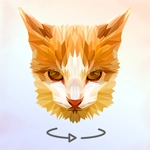
I’ll admit, Poly Art hooked me within the first five minutes. You get a jumbled cluster of polygon shards scattered across a blank canvas, and your job is to drag each one until it lines up with its neighbors. The pieces aren’t your standard jigsaw shapes—they’re jagged, low-poly slices of a bigger picture, which makes every correct placement feel oddly precise. You can pick between a few color modes, but I stick with the default because it lets the artwork reveal itself bit by bit.
The moment a shard snaps into place? That subtle little clunk, the way the edge suddenly goes crisp—it’s pure satisfaction. Each level is a full illustration, from animals to landscapes to abstract patterns, and there are hundreds of them. No timer, no score chasing, no penalties. Just swipe, rotate, and nudge until the blur transforms into a clean image. I found myself zooming in on tiny misaligned corners, convinced I was one pixel off, then realizing the piece actually belonged two spots over. That kind of quiet deduction is the whole appeal.
If you need a break from twitchy shooters or hectic racers, Poly Art is the opposite of stressful. It runs right in your browser, touch controls work great for swiping, and the difficulty curve stays gentle. Honest advice: don’t rush. Let the shapes guide you, and the picture will come together faster than you think.
👥How to Play Poly Art
Select a visual color mode, go through hundreds of image sharad clusters and complete sets of images to relax and assemble all the game illustrations. Swipe to move the image shards. Position shards correctly to complete the images.
✨Game Tips
Start with the largest shards first—they anchor the image and make smaller pieces easier to place.
Zoom in on near-matches; a shard that looks right might be off by a single edge.
Use the color mode toggle if you get stuck; switching to color helps separate similar regions.
Trust the silhouette: the outline of a shard often hints which side connects to the canvas.
Don't force a piece—if it fights you, it probably belongs somewhere else.
Save your eyes: take a break after 15 levels or the low-poly edges start blurring together.
🔧FAQ
Q: Is Poly Art free to play?
A: Yes, Poly Art is completely free to play in your browser with no paywalls.
Q: Can I play Poly Art on my phone or tablet?
A: Absolutely—touch controls work great on mobile devices and tablets.
Q: Do I need to download any app?
A: No download needed. Just open the game page and start playing instantly.
Q: How many images are there in Poly Art?
A: There are hundreds of different illustrations to assemble, with new sets added regularly.
Q: What if I can't find where a shard goes?
A: Try switching color modes or zooming out; a shard often fits in an unexpected spot.
Q: Does Poly Art have a timer or score?
A: No timer, no score, no pressure. You can relax and assemble at your own pace.