
Polygon Flight Simulator
Play Count0
Published2024-08-27
Supported DevicesPC
CategoryAction & Fighting
Rating★★★★★5.0Rate this game
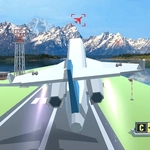
📝Polygon Flight Simulator Overview
Grab the yoke and wrestle a low-poly plane through canyons and clouds without smearing yourself across a hillside.
💬What is Polygon Flight Simulator?
I've crashed more times than I'd like to admit in Polygon Flight Simulator, mostly because I got cocky and tried to pull a loop between two mountain peaks. It didn't end well. The controls are simple on paper — WASD for throttle and rudder, mouse to pitch and roll — but they punish overconfidence. You're not flying a jumbo jet here; you're piloting a twitchy little sport plane that actually reacts to wind and momentum. Pull too hard and the stall horn shrieks before the ground rushes up.
What kept me coming back is how different each run feels. One attempt I'll hug the coastline at sunset, skimming water so close the spray would hit my screen if this were real. The next attempt, I'll try to thread a narrow valley at full throttle and clip a wing on a pixel tree. The polygon art style is clean, nothing flashy, but it lets you focus on the flying. There's no mission list or upgrade tree — just you, the terrain, and your own dumb decisions. Press TAB to bring up a basic menu, but honestly I forget it exists.
If you like flight sims that don't hold your hand, this one scratches an itch. It's not a full-blown simulator with checklists and radio chatter, but it nails the core feeling of flight. Try landing on the aircraft carrier if you can find it. I'm not going to tell you where it is. That's half the fun.
👥How to Play Polygon Flight Simulator
WASD move plane
Mouse Drag go up
Mouse Forwad go Down
Mouse Left or right move plane
TAB Menu
✨Game Tips
Tap the mouse forward gently for descent instead of shoving it — small nudges keep your nose from dipping into a spiral.
Use TAB to reset your camera or plane if you get inverted; it's a quick escape from a bad roll.
Reduce throttle before sharp turns, otherwise you'll bleed speed and stall in the middle of a bank.
Look for the aircraft carrier near the southern islands; landing there is the real final boss.
Practice hovering just above stall speed in a straight line to learn the edges of the flight model.
🔧FAQ
Q: Is Polygon Flight Simulator free to play?
A: Yes, it's completely free in your browser, no account needed.
Q: Do I need to download anything to play Polygon Flight Simulator?
A: No downloads. It runs on HTML5, just open the page and fly.
Q: Can I play Polygon Flight Simulator on mobile?
A: Mobile support is limited, but a touchscreen may handle basic controls. Best on desktop with mouse.
Q: What are the controls for Polygon Flight Simulator?
A: WASD for throttle and rudder, mouse to pitch and roll. TAB opens the menu.
Q: Why does my plane keep stalling in Polygon Flight Simulator?
A: You're pulling the nose too high or flying too slow. Keep throttle up and ease the mouse.
Q: Is there a goal or mission in Polygon Flight Simulator?
A: No set missions. It's a sandbox — fly around, explore, and land on the carrier if you can.