
Poppy Rocketman
Play Count0
Published2022-02-10
Supported DevicesPC + Mobile
CategoryAction & Fighting
Rating★★★★★5.0Rate this game
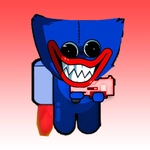
📝Poppy Rocketman Overview
Think you can keep a cackling toy airborne with just a tap and a prayer? Poppy Rocketman turns every launch into a chaotic flight school.
💬What is Poppy Rocketman?
The first thing you notice is the absurdity: a grinning doll strapped to a rocket, careening through a cartoon obstacle course. You're not just flying—you're constantly fighting the physics. Tap W to fire the thrusters, and the little guy lurches upward like a startled cat. Hold too long and he flips upside down; release and he belly-flops. I spent my first three runs just figuring out that rhythm, and honestly, that's half the fun.
What surprised me is how much precision hides under the chaos. The D key isn't a second jump—it's a lateral air-dash that shoves you sideways to slip through narrow gaps or recover from a near-miss. You need it constantly because the course throws spinning gears, floating mines, and sudden walls at you. One moment I was threading a needle between two rotating blades, the next I'd clipped a fuel canister and shot off like a bottle rocket. The ragdoll reactions are glorious; you'll never get the same crash twice.
For a free browser game, Poppy Rocketman has a surprising amount of replay pressure. Coins mark safer paths but tempt you into risk, and the distance counter taunts you every time you explode. There's no story, no tutorial beyond the controls flashing on screen—just you, a toy with a death wish, and the ever-present question of how far you can push it. I kept coming back after 'one more try' turned into twenty minutes.
👥How to Play Poppy Rocketman
Mobile Control & D + W
✨Game Tips
Feather the W key instead of holding it—short bursts keep you stable and save fuel for the steep sections.
That D dash isn't for speed, it's for correction. Use it a split second after you overcommit.
Coins are bait. Only grab them when the path ahead is clear and you've got at least half a tank.
Poppy spins out if you hold thrust through a turn; let go for a beat to level the rocket.
Watch for the red warning glow before obstacles spawn—it gives you a half-second head start.
Land on flat platforms to refill a chunk of fuel, even if it kills your momentum.
🔧FAQ
Q: Is Poppy Rocketman free to play?
A: Yes, it's completely free. No paywalls or premium features.
Q: Can I play Poppy Rocketman on my phone?
A: Yes, the mobile version uses touch controls for thrust and dash.
Q: Do I need to download anything?
A: No downloads needed. Just open your browser and play instantly.
Q: What are the keyboard controls?
A: Press W to thrust and D to dash sideways. That's all you need.
Q: How do I restart after crashing?
A: Hit the R key or tap the restart button on screen. No long reload times.
Q: Does Poppy Rocketman work on school Chromebooks?
A: Yes, it runs in any modern browser, so it should work on most school devices.