
Poppy Strike 4
Play Count0
Published2024-11-20
Supported DevicesPC
CategoryAction & Fighting
Rating★★★★★5.0Rate this game
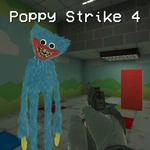
📝Poppy Strike 4 Overview
Your flashlight flickers as something skitters behind you—time to reload and fight back.
💬What is Poppy Strike 4?
I've played a lot of browser FPS games, but Poppy Strike 4 nails the creepy atmosphere better than most. It's basically a fan-made shooter set in a twisted toy factory, and you're stuck inside with things that should not be moving. The first time I heard that low mechanical giggle echo down a corridor, I actually crouched behind a crate and waited. Then I remembered I had grenades.
Movement feels surprisingly tight for a browser game. WASD to run, space to jump, C to crouch—nothing fancy, but the level design makes you use all of it. Dark corners hide enemies, so your RMB flashlight becomes a lifesaver. I kept the light on even when I didn't need to, just to stop my own brain from imagining things. Ammo is scarce, so you'll learn to aim for the head or you'll be resorting to melee attacks in a panic. That moment when you hear the click of an empty mag and you're frantically pressing R while backpedaling into a dead end? That's the game's magic.
One thing I appreciated: the grenade (G) is genuinely useful, not just a gimmick. You can bounce it around corners to clear a room without exposing yourself. And the 'F' key interaction adds a little puzzle flavor—some doors or switches need to be found, not just shot. It's not a horror game in jump-scare overload, but the tension stays tight. If you liked Poppy Playtime but wished you could shoot back, this is exactly that itch.
👥How to Play Poppy Strike 4
WASD - Move. LMB - Shoot. RMB - Aim/Flashlight. Space - Jump. R - Reload. G - Grenade. F - Use. C - Crouch.
✨Game Tips
Keep your flashlight off when moving through open areas—it makes you harder to spot and saves battery.
Aim for center mass first, then adjust to headshots once you learn enemy movement patterns.
Don't hoard grenades; use them to clear tight corridors or flush enemies from behind cover.
Reload before entering any new room, even if you only fired one shot. The animation is short but deadly if caught.
Crouch behind low walls to steady your aim and reduce your hitbox when peeking corners.
Listen for audio cues—the giggle tells you an enemy is near, and footsteps can reveal which direction.
🔧FAQ
Q: Is Poppy Strike 4 free to play?
A: Yes, it's completely free in your browser with no paywalls.
Q: Can I play Poppy Strike 4 on mobile?
A: It works best with a keyboard and mouse, but many mobile browsers support touch controls.
Q: Do I need to download or install anything?
A: No download needed—just open the page and play instantly in HTML5.
Q: What are the controls for Poppy Strike 4?
A: WASD moves, left mouse shoots, right mouse aims/flashlight, Space jumps, R reloads, G throws grenade, F uses, C crouches.
Q: Is Poppy Strike 4 too scary for younger players?
A: It has horror elements and mild violence, so it's better for teens and up.
Q: Why is it called unblocked?
A: The game runs on sites that bypass school or work network filters for play during breaks.