
Port Bike Stunt
Play Count0
Published2020-09-18
Supported DevicesPC
CategoryAction & Fighting
Rating★★★★★5.0Rate this game
📝Port Bike Stunt Overview
Pull off backflips and tightrope drifts across shipping containers with a friend in this split-screen stunt showdown.
💬What is Port Bike Stunt?
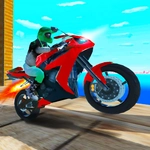
There's a specific kind of chaos when two bikes are airborne at the same time. Port Bike Stunt throws you and a buddy into a dockyard full of rusted containers, wooden ramps, and gaps that beg to be jumped. Player 1 uses the arrow keys, Player 2 gets WASD, and both of you have a nitro button that turns a tentative hop into a launch. I kept hitting nitro way too early and watching my rider faceplant into the side of a container — but that's half the fun. The camera toggle (C for P1, Q for P2) seems minor until you're trying to line up a landing on a narrow rail between two stacked crates. Then it becomes your best friend.
What surprised me is how much the physics actually matter. You can't just hold forward and mash nitro; you have to lean back on the ramp to initiate a flip, then tap forward mid-air to even out. The first time I stuck a clean frontflip off the tall stack near the crane, I yelled. The game resets fast with R, which keeps the frustration low and the retry loop tight. There's no timer or scoreboard, so you're free to just mess around — perfect for trash-talking a friend on the same keyboard.
If you're looking for a polished simulation, this isn't it. The visuals are simple, the bikes feel a bit loose, and collision can be janky. But that jankiness is exactly why Port Bike Stunt works as a pick-up-and-play local multiplayer game. It's the kind of thing you open for ten minutes and then realize an hour's gone.
👥How to Play Port Bike Stunt
Player 1
Move: "ARROW KEYS"
Nitro: "N"
Camera: "C"
Player 2
Move: "W,A,S,D"
Nitro: "T"
Camera: "Q"
Level Restart: "R"
✨Game Tips
- Save nitro for the big jumps — hitting it mid-air can save a sketchy landing.
- Tap R the second you wipe out; the reset is faster than waiting for the bike to stop tumbling.
- Use the camera toggle (C or Q) when you're lining up a precision landing between container gaps.
- Don't fight the physics — leaning back on the ramp gives you the rotation you need for flips.
- In 2-player, block your friend's landing zone by parking your bike sideways on the landing ramp. It's cheap but hilarious.
🔧FAQ
Q: Is Port Bike Stunt free to play?
A: Yes, it's completely free in your browser — no hidden fees or premium unlocks.
Q: Can I play Port Bike Stunt on my phone?
A: The game works best with a keyboard, but you can try it on mobile using an on-screen keyboard app.
Q: Do I need to download anything to play?
A: No downloads needed. Just open the page and the game runs instantly in your browser.
Q: How do I restart a level quickly?
A: Press R on your keyboard. It resets instantly, which saves time when you're practicing a specific jump.
Q: Are there separate controls for each player?
A: Player 1 uses arrow keys with N for nitro, Player 2 uses WASD with T for nitro. Camera toggles are C and Q.
Q: Can I play Port Bike Stunt by myself?
A: Yes, you can ignore the second bike and just ride solo, but it's designed for two-player local competition.