
Princess Amoung Plus Maker
Play Count0
Published2020-11-05
Supported DevicesPC
CategoryGirls & Lifestyle
Rating★★★★★5.0Rate this game
📝Princess Amoung Plus Maker Overview
Turn a blank princess canvas into a full royal look with just your mouse — how extra can you make her?
💬What is Princess Amoung Plus Maker?
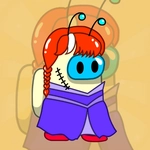
So this isn't a game with levels or scoreboards. It's a pure dress-up sandbox where you get a princess base and a mountain of cosmetic options to slap on. Hair, crowns, dresses, facial features — you can mix them into something regal or totally ridiculous. I spent way too long trying to give her mismatched eyes and a tiara that clips through a giant hat, and honestly it still looked weirdly cohesive.
The controls are dead simple: click or tap an item and it swaps onto the character. No drag-and-drop, no menus buried three deep. That's both a blessing and a curse. It's fast to experiment, but the sheer number of options can be overwhelming if you're the type who wants a curated look. Still, the variety is impressive for a browser game — there are skin tones, eye shapes, lip colors, and enough accessories to decorate a whole royal court.
What kept me coming back was the 'plus size' angle. It's rare to see a dress-up game that isn't built around a single skinny silhouette, and here the princess has a fuller figure that actually looks natural when you put her in different gowns. The clothes don't just change color — they drape differently. That little detail made me actually care about matching tops with skirts instead of just clicking random things. It's a small touch, but it makes the whole thing feel less like a cheap flash game and more like a proper paper doll session.
👥How to Play Princess Amoung Plus Maker
Left mouse button or touch.
✨Game Tips
Start with the base face and skin tone before adding accessories, otherwise you'll spend ages redoing the look when something clashes.
The dress section has more than just colors — try layering a cape over a gown for a completely different silhouette.
Don't ignore the background option. A plain white backdrop makes the princess look washed out; the shaded palace hall adds contrast.
Use the randomize button if you're stuck. It throws together combos you'd never pick manually and some of them are surprisingly good.
Click the same item twice to remove it — this isn't obvious but it's the fastest way to undo a mistake.
If you're on mobile, tap lightly. Hard presses sometimes trigger the wrong menu item because the hitboxes are small.
🔧FAQ
Q: Is Princess Amoung Plus Maker free?
A: Yes, it's completely free to play in your browser with no hidden paywalls or premium items.
Q: Do I need to download anything to play?
A: No download needed. Just open the page and start clicking — it runs on HTML5.
Q: Can I play Princess Amoung Plus Maker on my phone?
A: Yes, the touch controls work on mobile browsers, though item icons are a bit small on smaller screens.
Q: Is this game only for girls?
A: Not at all. Anyone who enjoys character customization or dress-up mechanics will find something to like here.
Q: Does the game save my created princess?
A: No, there's no save feature. Once you close the tab, your look is gone, so screenshot your favorite combos.
Q: Are there any inappropriate or violent elements?
A: No, it's a wholesome makeover game with no violence, gore, or mature content — safe for all ages.