
Princess Coloring Book
Play Count0
Published2020-10-21
Supported DevicesPC
CategoryGirls & Lifestyle
Rating★★★★★5.0Rate this game
📝Princess Coloring Book Overview
Grab your virtual crayons, pick a princess, then splash every royal gown and castle with colors that break all the rules.
💬What is Princess Coloring Book?
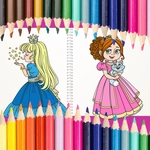
I'll admit it: I clicked on Princess Coloring Book expecting a five-minute time-waster, but twenty minutes later I was still deciding whether Princess Aurora's ball gown should be seafoam green or a violently hot pink. The game doesn't care. That's the whole point. You get a stack of black-and-white princess scenes—ballrooms, carriages, dragon-free castles—and a fat palette of colors at the bottom of the screen. Tap a color, tap a section, and it fills instantly, no messy smudging, no "you went outside the lines" scolding. Mouse or finger, it just works.
The moment that got me: there's a page with three princesses sharing a giant teacup at a garden party. Instead of going realistic, I made the teapot neon orange, the roses electric blue, and one princess's hair literally rainbow. The flat-fill system means even tiny details like crown jewels and lace trim respond cleanly, so you can go wild without frustration. There's an undo button for the times you accidentally turn a face green, but honestly, half the fun is leaving it and calling it modern art.
It's aimed at younger players—think kindergarten through maybe third grade—but I've seen adults relax into it after a bad day because there's no score, no timer, no wrong answer. You won't unlock anything, won't level up, and that's refreshing. The only real nitpick: the color palette is fixed, so you can't mix custom shades, and some line art patterns are a bit simple for older kids. Still, as a free browser coloring book, it's exactly what it should be. Just don't blame me if you start humming Disney tunes.
👥How to Play Princess Coloring Book
Mouse or Touch
✨Game Tips
Test colors on a small section first—some shades look brighter on white than on gray.
Use the undo button only for mistakes you really hate; accidental color clashes often become happy accidents.
Zoom in if your browser allows it; tiny tiaras and necklace beads are easier to tap accurately.
Work light to dark in each scene—start with pastels, then add bold accents so dark colors don't muddy the lines.
Don't skip the princess hair: contrasting streaks or a two-tone look make the whole page pop.
🔧FAQ
Q: Is Princess Coloring Book free to play?
A: Yes, it's completely free in your browser with no paywall or hidden charges.
Q: Can I play Princess Coloring Book on my phone or tablet?
A: Yes, the game uses touch controls, so it works on any modern mobile device.
Q: Do I need to download or install anything?
A: No download needed—just open the page in a web browser and start coloring.
Q: Is there a way to save or print my finished princess pictures?
A: Most browser coloring games don't have a save feature, but you can take a screenshot.
Q: What ages is Princess Coloring Book best for?
A: It's aimed at kids ages 4 to 10, but anyone looking for relaxing coloring will enjoy it.
Q: Are there different princess characters or just one?
A: You'll find several princesses across multiple scenes, including classic fairy-tale looks.