
Princess Jewelry Designer
Play Count0
Published2021-05-28
Supported DevicesPC
CategoryGirls & Lifestyle
Rating★★★★★5.0Rate this game
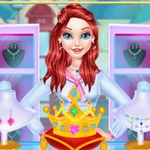
📝Princess Jewelry Designer Overview
Got a princess who's picky about her sparkle? Design custom necklaces, earrings, and tiaras until every gem sits exactly right.
💬What is Princess Jewelry Designer?
This isn't some jewelry store simulator with a bored clerk. You're the designer, and a very demanding princess is waiting. Each piece starts as a bare gold or silver frame, and you've got a tray of gems, pearls, and pendants to work with. Click a ruby, drag it to the necklace, and watch it snap into place with a satisfying little chime. But the princess has opinions—sometimes you'll place a sapphire and she'll wrinkle her nose, so you swap it for an emerald and suddenly she's beaming. It's part puzzle, part dress-up, and all about finding combinations that actually look royal.
What kept me clicking was the variety of pieces. You're not just doing one necklace and moving on; tiaras need symmetrical stones, earrings need to balance weight, and rings can't be too cluttered or the gem won't show. The game throws in odd challenges like a 'royal ball tonight' deadline, which honestly just means you get to make another set. There's no timer stress, so you can fiddle with color schemes for ten minutes if you want. My personal favorite is layering tiny silver chains under a chunky pendant—you'll see what I mean when you try it.
The graphics are simple but the sparkle effects are weirdly addictive. Every gem has that little glint animation when you rotate it, and the princess's reactions are exaggerated enough to make you laugh. If you're into fashion games or just want something chill to pass fifteen minutes, this fits. Don't expect deep crafting mechanics; it's more like a digital jewelry box you get to rearrange.
👥How to Play Princess Jewelry Designer
Mouse click or tap to play
✨Game Tips
Try mixing gem sizes: a big center stone with two small side stones reads 'royal' instantly.
The princess will hint at colors she likes, so pay attention to her expression after each placement.
Don't overload a ring with more than three gems—it hides the band design.
Use silver for cool-colored gems (sapphires, emeralds) and gold for rubies and diamonds to make them pop.
If a piece looks off, rotate it: the light glint changes and can reveal a better angle.
There's no undo button, so plan your layout before clicking.
🔧FAQ
Q: Is Princess Jewelry Designer free to play?
A: Yes, it's completely free and unblocked—no paywall or in-game purchases.
Q: Can I play Princess Jewelry Designer on my phone?
A: Yes, it works on mobile browsers with tap controls, no app download needed.
Q: Do I need to download anything to play?
A: No downloads. It runs right in your browser as an HTML5 game.
Q: Is Princess Jewelry Designer good for younger kids?
A: Absolutely. No violence or timers, just creative jewelry design and dress-up.
Q: Can I save my jewelry designs?
A: This version doesn't have a save feature, but you can recreate designs quickly.
Q: What if I get stuck or don't know what to do?
A: Just click a gem and then click a spot on the jewelry piece to place it. The princess reacts to each choice.