
Princess-Lip-Art-Salon
Play Count0
Published2021-07-09
Supported DevicesPC
CategoryGirls & Lifestyle
Rating★★★★★5.0Rate this game
📝Princess-Lip-Art-Salon Overview
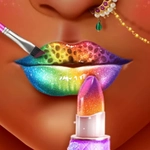
Ever wanted to paint lips like a royal makeup artist? You'll sculpt, shade, and sparkle your way through six lip art looks here.
💬What is Princess-Lip-Art-Salon?
Right, so Princess-Lip-Art-Salon drops you into a pastel pink studio where a princess client is waiting with a bare canvas right under her nose. The tool tray looks deceptively simple at first — lip liner, gloss wand, glitter pot, stamp shapes — but once you start layering colors and tapping on tiny jewels, it gets weirdly addictive. I kept going back to fix one tiny smudge at the corner of her mouth, and suddenly half an hour vanished.
The trick is that every step matters. You pick a base tone, then drag the liner just so, and if your hand wobbles, you can undo it — but only once per layer. That little constraint made me actually care about my finger pressure on the trackpad. Then the fun part: you get to stamp mini hearts, stars, or lipstick kisses across the gloss, and each stamp makes a soft squelchy sound that's honestly too satisfying. The princess reacts with these little head tilts and sparkly eyes when you nail the symmetry, which is ridiculous but totally works.
What sets it apart from a thousand other lip gloss games is the finishing touch — you can add subtle shine effects that move when you tilt the screen or move your cursor. It’s not just a flat sticker; the gloss actually looks wet. Yeah, it's a casual makeover thing, but it's polished enough that you don't feel like you're just clicking a kid's coloring page. I'd say it's the perfect brain-off game when you want something pretty and low-stakes but still slightly more involved than a five-second decoration sim.
👥How to Play Princess-Lip-Art-Salon
Mouse or tap to play.
✨Game Tips
Keep your outlines thin on the first pass — you can always widen them later, but fixing thick smudges is a pain.
Use the sparkle brush before the pearls. Pearls placed first tend to block the shine, and you'll waste time moving them.
The undo button resets your last layer only, not the whole lip. So don't panic if you mess up the gloss — just redo that step.
Try matching the princess's eyeshadow shade to your lip color. It makes the reaction animation way more enthusiastic.
If the stamps keep landing crooked, tap once to place, then hold and drag slightly to rotate before releasing. Not obvious, but it works.
Save your favorite look by screenshotting it before hitting the final button — there's no gallery, and you'll want to remember what you made.
🔧FAQ
Q: Is Princess-Lip-Art-Salon free to play?
A: Yes, the full game is free in your browser with no paywalls.
Q: Do I need to download anything?
A: No download or app needed. It runs right in your web browser.
Q: Can I play on my phone or tablet?
A: Absolutely. The touch controls work great on mobile screens.
Q: Does this game need a fast internet connection?
A: It loads once and then plays smoothly even on slower Wi-Fi.
Q: Are there different princesses to style?
A: The game focuses on one main princess but has six different lip art styles.
Q: Can I undo a mistake while playing?
A: Yes, but only the last layer you added. Plan your sequence carefully.