
Princess & Mermaid Doll House Decorating
Play Count0
Published2021-04-12
Supported DevicesPC
CategoryArcade & Classic
Rating★★★★★5.0Rate this game
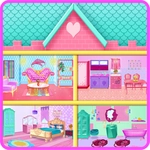
📝Princess & Mermaid Doll House Decorating Overview
Turn a bare dollhouse into a glittering princess-and-mermaid dream home—one seashell lamp, velvet sofa, and royal canopy at a time.
💬What is Princess & Mermaid Doll House Decorating?
Imagine a dollhouse that's half royal castle, half underwater grotto. That's the weirdly satisfying premise here. You get a set of empty rooms and a tray packed with pastel furniture, sea-themed decor, and enough tiaras to start a small monarchy. Click an item to pick it up, click again to drop it anywhere. Drag things around until they feel right. The controls are simple, but the placement freedom is what got me—you can shove a shell-shaped bed against a coral bookcase and it just works, or stack almost nothing and call it minimalism. The game doesn't judge.
The real fun starts when you realize the keyboard can be used. Not for anything fancy—mostly nudging and quick resets—but it saves time when your cursor is hovering over a perfect mirror placement. My favorite moment was when I accidentally placed a tiny seahorse on the princess's canopy and decided it belonged there. Little accidents become design choices. The rooms have different lighting zones too, so a teal vanity might look flat in the upper room but glows in the lower coral room. That detail kept me going back to tweak things.
It's not a game with levels or timers. No fail state. Just a decorating sandbox that's half toy box, half mood board. If you need five minutes to kill, it's perfect. If you need something to hyperfocus on while ignoring homework, it's also that. The dollhouse never gets fully finished because you'll always want to move one more starfish.
👥How to Play Princess & Mermaid Doll House Decorating
Use Mouse To Play and Keyboard
✨Game Tips
Start with the big furniture pieces first—beds, sofas, thrones—then layer smaller decor around them.
Use the keyboard arrow keys (or WASD) to nudge an item a pixel at a time when the mouse feels too clumsy.
Mix the princess and mermaid sets; a coral chair next to a velvet vanity oddly works.
Don't forget the walls: hanging mirrors and shell sconces completely change a room's height.
If a room feels crowded, remove one large item instead of three small ones.
Check both lighting zones before settling on accent colors; teal can look dead in the upper room.
🔧FAQ
Q: Is Princess & Mermaid Doll House Decorating free?
A: Yes, it's completely free to play in your browser with no hidden payments.
Q: Can I play Princess & Mermaid Doll House Decorating on mobile?
A: It works best with a mouse, but the touchscreen controls also let you tap and drag items around.
Q: Do I need to download anything to play?
A: No download needed. It runs directly in your browser as an HTML5 game.
Q: What are the keyboard controls?
A: The keyboard mainly helps with nudging and resetting item placements. Most decorating is mouse-driven.
Q: Is there a time limit or score?
A: No timer, no score. You just decorate at your own pace.
Q: Will my dollhouse save after I close the tab?
A: Usually your browser remembers your progress, but it's not guaranteed. Screenshot your design if you love it.