
Princess Slime Factory
Play Count0
Published2020-03-19
Supported DevicesPC + Mobile
CategoryGirls & Lifestyle
Rating★★★★★5.0Rate this game
📝Princess Slime Factory Overview
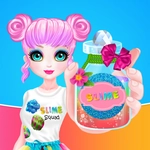
Mix glitter, foam beads, and pastel goo until you've whipped up the squishiest, most sparkly slime the kingdom has ever seen.
💬What is Princess Slime Factory?
I didn't expect to spend twenty minutes deciding between holographic glitter and iridescent beads, but here we are. Princess Slime Factory taps into that oddly satisfying loop of mixing, kneading, and stretching virtual goo until it's just right. You're running a slime shop for a princess, and every batch starts with a base—clear glue, cloud slime, maybe some butter slime if you're feeling fancy. Add a few drops of color, dump in extras like foam balls or charm pieces, and then comes the activator. That's where the magic happens.
The actual mixing is stupidly simple: left mouse button or touch, stir, squish. But the physics engine sells it—the slime actually folds and ripples as you drag it around the bowl. I had a real 'oh, nice' moment when the clear slime turned a milky lavender after ten seconds of stirring. The game doesn't hold your hand, though. Overdo the activator and you'll get a rubbery lump that cracks instead of stretches. Too little and you've got soup. The sweet spot is narrower than you'd think. There's also a decorating phase where you jar your slime and pick lids, labels, and maybe a sprinkle of star confetti. It's the kind of detail that keeps the loop from feeling one-note.
Replay value comes from experimentation. You're not handed a recipe book—you guess ratios and see what happens. The princess customer requests sometimes push you toward weird combos (glow-in-the-dark with lavender scent? okay). It's obviously aimed at younger players or anyone who likes low-stakes crafting games. I kept coming back just to see if a certain glitter would actually suspend or sink to the bottom. If you want a cozy, no-pressure time killer with zero penalties, this one's hard to beat.
👥How to Play Princess Slime Factory
Left mouse button or touch.
✨Game Tips
Start with clear glue base if you want colors that really pop—white glue muddies pastels.
Add activator one drop at a time; you can always stir more, but you can't un-rubber it.
Fold glitter in slowly at the end instead of dumping it early, or it'll clump at the bottom.
Keep an eye on the customer's request in the top corner before you start mixing.
Experiment with half-and-half bases—cloud plus butter makes a stretchier slime that still holds shape.
🔧FAQ
Q: Is Princess Slime Factory free to play?
A: Yes, it's completely free in your browser with no hidden paywalls.
Q: Can I play Princess Slime Factory on my phone?
A: Yes, the game supports touch controls so it works on most mobile browsers.
Q: Do I need to download anything to play?
A: No download needed. Just open the page and the HTML5 game loads instantly.
Q: How do I mix the slime ingredients?
A: Click or tap and drag to stir the bowl. Hold longer for a smoother texture.
Q: What happens if I add too much activator?
A: Your slime becomes stiff and cracks. Start over with a new batch and use less next time.
Q: Is there a way to restart just the current slime?
A: Most batches let you dump the bowl and start fresh from the same recipe screen.