
Princess Tattoo Master
Play Count0
Published2021-06-07
Supported DevicesPC
CategoryGirls & Lifestyle
Rating★★★★★5.0Rate this game
📝Princess Tattoo Master Overview
Pick your ink, steady your hand, and craft a princess-worthy tattoo from scratch—no stencils, no limits, just pure creativity and a very patient royal canvas.
💬What is Princess Tattoo Master?
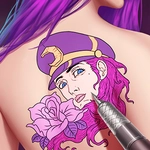
The princess walked into my studio with zero tattoos and a very specific request: something delicate but bold, something that says 'royal' without screaming. That's the setup for Princess Tattoo Master, and honestly, it's more meditative than you'd expect. You start with a clean canvas—her shoulder, wrist, or lower back—and a tray of stencils that range from tiny crown motifs to full floral sleeves. The mouse or tap controls feel immediate: click a design, drag it onto her skin, then tweak the size and angle until it sits exactly right. There's a satisfying snap when the tattoo settles into place, but move it too fast and it smears, forcing you to wipe the area clean with a virtual sponge. I learned that the hard way on a butterfly that ended up looking like a blurry moth.
What kept me clicking was the color mixing. You don't just pick from presets—you can lighten or darken the ink by dragging a slider, and certain designs react differently to opacity. A watercolor lotus at 60% looks totally different from the same lotus at full saturation, and the princess's little approving nod when you nail the placement feels weirdly rewarding. You can also layer two or three tattoos on the same arm, but watch out: some designs clip through each other if they overlap, so you'll need to rotate them like puzzle pieces. I spent a good ten minutes trying to fit a tiny star behind a larger crescent moon without the edges intersecting, and when it worked, I actually fist-pumped.
There's no timer, no fail state, no angry customer rushing you. Just a princess who occasionally shifts her posture to remind you she's human. The graphics are clean and bright, with no gore or edgy content—this is pure tattoo parlor fantasy for the glitter-and-pastel crowd. If you've ever wanted to design a sleeve for someone who won't complain about the pain, this is your low-stakes playground.
👥How to Play Princess Tattoo Master
Mouse or tap to play.
✨Game Tips
- Combine two small tattoos on her wrist for a layered look, but test placements before committing—some designs clip awkwardly through each other.
- Pick your ink color before dragging the stencil; changing it after placement resets the position and you'll have to redo the angle.
- Drag slowly and stop just shy of the target spot; a fast flick leaves smudged edges that force a full wipe.
- Use the rotate dial to align the tattoo with the curve of her shoulder or collarbone, not against it—she'll frown at a crooked anchor.
- If she doesn't react, check the symmetry; mirroring a design on the other arm usually gets that happy nod.
🔧FAQ
Q: Is Princess Tattoo Master free?
A: Yes, it's completely free to play in your browser with no hidden charges.
Q: Can I play Princess Tattoo Master on mobile?
A: Absolutely, the touch controls work great on phones and tablets.
Q: Do I need to download anything?
A: No downloads or installs—just open the page and start playing.
Q: Is this game suitable for kids?
A: Yes, it's a mild, creative makeup-style game with no violence or inappropriate content.
Q: Does Princess Tattoo Master work offline?
A: You need an internet connection to load the game, but it runs smoothly once loaded.
Q: Can I restart a design if I mess up?
A: Yes, there's a sponge tool to wipe the tattoo and start over as many times as you like.