
Push Block
Play Count0
Published2020-04-15
Supported DevicesPC + Mobile
CategoryFun & Crazy
Rating★★★★★5.0Rate this game
📝Push Block Overview
Nudge, twist, and shove blocks to their glowing goal zones—one wrong push and you'll wish you'd planned better.
💬What is Push Block?
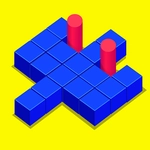
You'd think pushing a few squares around would be easy. Then you hit level 10 and realize you've trapped yourself in a corner with no way to nudge that last block past the wall. Push Block is one of those hypercasual puzzles that starts off feeling like a warm-up and quietly turns into a brain-bender. You drag each block with your finger or mouse, sliding it along the grid until it lands on its matching glowing square. The catch? Obstacles scattered across the board don't move, and some stages demand you push multiple blocks in a specific order or you'll block your own path.
What kept me coming back wasn't just the clean, uncluttered look—it's how the game punishes overconfidence. I spent a good ten minutes on one mid-game level because I kept shoving a blue block all the way right, only to realize the red block needed that exact lane first. You can't pull blocks, only push, so every move has a one-way feel that forces you to think two or three steps ahead. The difficulty curve is mostly fair, though a few later levels felt like pure trial and error. Still, when you finally slide that last block into place and the level clears with a satisfying little pop, it's hard not to smile.
If you want a quick puzzle you can play one-handed on mobile or with a mouse on desktop, Push Block fits. It's not a game that will eat your afternoon, but it's perfect for those five-minute gaps when you need something mildly infuriating in the best way. Just don't blame me when you get stuck on a level and refuse to stop until you beat it.
👥How to Play Push Block
Now use you finger push all the blocks to destination!Be careful about the obstacles on the road!
✨Game Tips
Scan the whole board before your first push—sometimes the order of blocks matters more than the direction.
Use the walls to stop a block exactly where you need it instead of overshooting into a corner.
If a block is stuck behind an obstacle, check whether you can move another block first to open the lane.
Don't rush; there's no timer, so test a push and undo mentally before committing.
On later levels, work backwards from the goal squares to figure out which block should move last.
Play with a mouse or touchscreen for precise drags—small nudges beat long swipes.
🔧FAQ
Q: Is Push Block free to play?
A: Yes, it's completely free on our site with no hidden paywalls or sign-ups.
Q: Can I play Push Block on mobile?
A: Absolutely. It works in your mobile browser with touch controls, no app download needed.
Q: Do I need to download anything to play Push Block?
A: Nope, it runs right in your browser as an HTML5 game—just click and play.
Q: How do I control the blocks in Push Block?
A: Drag with your finger or mouse to push blocks. You can only push, not pull.
Q: Is Push Block suitable for kids?
A: Yes, it's a clean puzzle game with no violence or inappropriate content, great for all ages.
Q: What if I get stuck on a level?
A: Refresh the page or replay from the last checkpoint; some levels require a specific order.