
Push It Puzzle Game
Play Count0
Published2020-09-08
Supported DevicesPC
CategoryPuzzle & Thinking
Rating★★★★★5.0Rate this game
📝Push It Puzzle Game Overview
Shove stubborn blocks across the grid and hear that satisfying clunk when each one locks into place—can you clear every level without deadlocking?
💬What is Push It Puzzle Game?
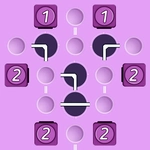
First thing you notice in Push It Puzzle Game is how simple the board looks. A few colored squares, some grey walls, maybe a teleport pad. Then you make your first move—drag a block left—and it slides until it hits something. No stopping halfway. That's the whole trick. You're not nudging pieces gently; you're committing to a full push every time. Mess up and you'll spend three minutes trying to reverse your way out of a corner you boxed yourself into.
I kept coming back to the later levels because the game quietly punishes greed. You'll see three blocks lined up and think 'easy, just push red, then blue, then yellow.' But red's push shoves blue into the exact spot you needed for yellow's target, and now you're stuck. The undo button is your best friend, but even that has a cooldown feel—you can't just spam it. So you learn to read the board like a chess puzzle: every push is a trade. There's a particular level with four blocks in a narrow corridor that took me a dozen resets because I kept trying to move the green block first, when actually you need to sacrifice a wall-bump to angle the orange piece differently.
Visually it's clean, almost sterile—white background, rounded squares, a soft shadow when a block locks in. That lock-in sound is oddly satisfying, like a magnetic click through cheap headphones. No timers, no score chasing, just a counter of pushes per level. If you care about three-star completions, you'll redo levels for minimal moves. But even if you just want a low-stress brain teaser, Push It Puzzle Game delivers that 'one more level' itch without needing a tutorial or a 10-minute intro.
👥How to Play Push It Puzzle Game
Computer - mouse control
Smartphone, tablet - touch control
✨Game Tips
Always plan two pushes ahead—blocks don't stop until they hit a wall or another block.
Use grey walls as brakes to position a block mid-grid instead of against the edge.
If a level feels impossible, undo back to the start and try moving the farthest block first.
Watch for blocks that share a target color; pushing the wrong one can permanently block the other.
Tap the reset button if your push counter gets ugly—there's no penalty for restarting.
Some levels have hidden pockets behind walls; push a block sideways to discover them.
🔧FAQ
Q: Is Push It Puzzle Game free?
A: Yes, it's completely free to play in your browser with no payment required.
Q: Can I play Push It Puzzle Game on mobile?
A: Absolutely. It supports touch controls on smartphones and tablets.
Q: Do I need to download anything?
A: No download needed—just open the page and start pushing blocks immediately.
Q: How do I restart a level if I get stuck?
A: Look for the reset button near the board or use the undo option to step back.
Q: Are there any ads in Push It Puzzle Game?
A: You might see a banner between levels, but nothing intrusive during gameplay.
Q: What if I can't figure out a level?
A: Try undoing to the very start and work backwards from the target blocks to find the first push.