
Push the Colors
Play Count0
Published2024-02-23
Supported DevicesPC
CategoryAction & Fighting
Rating★★★★★5.0Rate this game
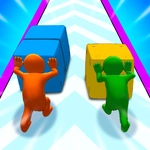
📝Push the Colors Overview
Get on opposite sides of a sliding tile arena and shove every last colored block into your rival's zone before they do the same to you.
💬What is Push the Colors?
Two paddles, one board, and a pile of colored blocks that won't stop swapping sides. Push the Colors is couch co-op chaos in its purest form. You and a friend each control a runner at opposite ends of the arena. Blocks constantly slide across the middle, and your job is to shove every piece of your color onto your opponent's side while keeping their junk off yours. You move left and right with the arrow keys or WASD, then hit up to push. Sounds brainless, right? Wait until a neutral block glues itself to your lane and you realize you just funneled three red blocks straight into your own goal.
Playing solo exists, but that's not why you're here. The one-player mode is decent practice for timing, but the AI never panics the way a human does when you dump a sudden burst of blue on their side. That's the real game: reading your opponent's panic. I watched a friend spam push so hard they shoved their own colored blocks back into the center, then had to scramble to recover. You will lose rounds because you tried to be clever with a last-second shove and missed the timing. The controls are tight enough that it's always your fault, which is exactly what you want in a reflex game.
Visually it's clean, flat colors and a simple grid. No clutter, no nonsense. The blocks move fast enough to keep you on edge but slow enough that you can plan a counter if you stay calm. It's the kind of game you load up for a five-minute session and then spend twenty minutes saying 'okay one more.' If you've got a second keyboard or a friend who doesn't mind shoulder-to-shoulder play, this one is a must. Otherwise, it's still a nice nostalgia hit for that old browser-game feeling.
👥How to Play Push the Colors
Player 1:
Move Left/Right: A and D or LEFT-RIGHT ARROWS (In 1P Mode Only)
Push at the end: W or UP ARROW (In 1P Mode Only)
Player 2: ARROW KEYS
Move Left/Right: LEFT-RIGHT ARROWS
Push at the end: UP ARROW
✨Game Tips
Don't hold down the push button; tap it right as a block crosses your line.
In two-player, watch the opponent's side more than your own after you shove.
Use neutral blocks as shields sometimes — they can clog your opponent's lane.
If you're getting overwhelmed, focus on clearing one color at a time instead of mashing.
In solo mode, practice the timing on the slow blocks first; speed comes later.
Keep your paddle centered when not pushing to react in either direction faster.
🔧FAQ
Q: Is Push the Colors free to play?
A: Yes, it's completely free on this unblocked games site. No payment or account needed.
Q: Can I play Push the Colors on my phone?
A: The game supports touchscreen controls, but it's much easier with a keyboard, especially in two-player mode.
Q: Do I need to download anything?
A: No downloads. Push the Colors runs right in your browser as an HTML5 game.
Q: How do I start a two-player match?
A: Just press the arrow keys for player 2 while player 1 uses WASD. Both can play on the same keyboard.
Q: Is there a single player mode?
A: Yes, player 1 can play solo using A/D or arrow keys to move and W or up arrow to push.
Q: What happens if both players push at the same time?
A: The blocks still move independently; timing matters more than speed. A late push can send colors the wrong way.