
Puzzle Block
Play Count0
Published2022-09-23
Supported DevicesPC + Mobile
CategoryPuzzle & Thinking
Rating★★★★★5.0Rate this game
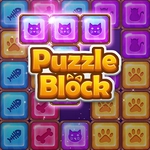
📝Puzzle Block Overview
Fill every empty tile and watch the screen click into place — one wrong move and the whole layout locks up.
💬What is Puzzle Block?
Puzzle Block starts off deceptively calm. You get a grid with a few empty tiles, a handful of chunky shapes, and one job: drag them around until every gap is filled. Simple, right? Then the board gets larger, the blocks get weirder, and you realize that one misplaced piece can trap another in a corner with no way back.
I kept underestimating the L-shaped pieces. You'll slide a long bar into a perfect slot, only to discover that little T-block now has nowhere to go. There was one level where a 2x2 square had to squeeze past a thin corridor, and I burned three attempts forcing it the wrong way before realizing the order mattered. There's no timer, no move counter, just a reset button that starts the level over. That freedom is nice until you've been stuck on the same layout for ten minutes (ask me how I know). The aha moment usually comes when you stop trying to fill the obvious spots and start clearing a path first.
What makes it work is the pure simplicity. No fake difficulty spikes, no cluttered interface—just spatial reasoning in a clean, almost meditative package. If you like games like Unblock Me or classic sliding puzzles, this one scratches the same itch without the extra noise. Play it in short bursts or grind a single tricky level until your brain clicks.
👥How to Play Puzzle Block
Just move the blocks to fill all empty tiles.
✨Game Tips
Look for the block with the fewest possible destinations and place it first.
If a move doesn't obviously help, undo it before building on top of it.
Corners and edges fill last when possible—use long blocks along borders early.
Don't rush: resetting a level is free and beats undoing five moves later.
Small T and L pieces are usually the key; lock them in before sliding long bars.
🔧FAQ
Q: Is Puzzle Block free to play?
A: Yes, it's completely free in your browser with no payment required.
Q: Do I need to download Puzzle Block to play?
A: No downloads needed. It runs right in your web browser.
Q: Can I play Puzzle Block on my phone or tablet?
A: Yes, the touch controls work on mobile and tablet screens.
Q: How do I move the blocks?
A: Click or tap a block and drag it across the grid until it locks into a position.
Q: What happens if I get stuck on a level?
A: Use the reset button to start the level over any time. There's no penalty.
Q: Are there multiple difficulty levels?
A: The game gradually introduces harder layouts with more complex block shapes.
Q: Does Puzzle Block have a timer or time limit?
A: No timer, so you can think as long as you need on each puzzle.