
Puzzle Game Cartoon
Play Count0
Published2021-07-20
Supported DevicesPC + Mobile
CategoryPuzzle & Thinking
Rating★★★★★5.0Rate this game
📝Puzzle Game Cartoon Overview
Drag the goofy cartoon pieces around until every last one clicks into place—can you nail the picture before your patience runs out?
💬What is Puzzle Game Cartoon?
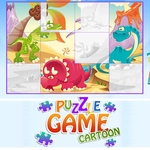
Puzzle Game Cartoon looks like it was pulled straight from a Saturday morning cartoon, and honestly that's exactly why it works. You get a screen full of colorful, slightly wonky shapes—smiling suns, chunky animals, lopsided houses—and your only job is to click or tap a piece, then drag it into the matching silhouette. Sounds easy? The first couple levels are a warm-up. Then pieces start rotating in weird ways, outlines get less obvious, and you realize your brain is doing that thing where it stares at a blue blob for ten seconds trying to figure out if it's a fish or a cloud.
I kept coming back to the later stages because they mess with your expectations. You'll swear a piece belongs in the top-left corner, drag it there, and it just bounces back with a soft 'thunk' while a cartoon character on the side does a little disappointed head shake. There's no timer in most levels, so it's a chill way to kill a few minutes, but the satisfaction of finally slotting that stubborn piece into place is weirdly addictive. Controls are dead simple: mouse click and drag on desktop, tap and slide on a touchscreen. No complicated menus, no paywalls, just puzzle after puzzle with bright, cheerful art that stays consistent the whole way through.
If you want something that won't melt your brain but will keep your fingers twitching, this one hits the sweet spot. It's not going to dethrone Portal, but it doesn't try to. Perfect for a five-minute break or a long session when you just want to zone out and match some cartoon nonsense.
👥How to Play Puzzle Game Cartoon
Desktop:
Mouse Click / Drag and Drop
Mobile Devices:
Touch Button on Screen
✨Game Tips
Start with the edge pieces—they usually have at least one straight side and narrow down the options fast.
If a piece doesn't fit after two tries, leave it alone and hunt for a shape with a more obvious curve or corner.
Watch the silhouette outlines; they're not just decoration, they show exact holes and help eliminate wrong pieces fast.
On touchscreens, use a stylus or your fingertip—dragging with a thumb often blocks the piece you're trying to place.
Don't overthink rotation; the game usually auto-aligns when you drop close enough, so aim for the general area first.
Turn the sound on—the little 'click' when a piece locks is way more satisfying than you'd expect.
🔧FAQ
Q: Is Puzzle Game Cartoon free to play?
A: Yes, it's completely free with no hidden charges or paywalls.
Q: Can I play Puzzle Game Cartoon on mobile?
A: Absolutely, touch controls work great on phones and tablets.
Q: Do I need to download anything?
A: No downloads needed—just open your browser and start playing.
Q: Does Puzzle Game Cartoon work offline?
A: It requires an internet connection to load, but that's it.
Q: What if a piece won't drag into place?
A: Try zooming out or switching to mouse click if touch isn't precise enough for that piece.
Q: Is there a timer or score pressure?
A: Most levels have no timer, so you can take your time and relax.