
Puzzles for Kids Game
Play Count0
Published2021-12-27
Supported DevicesPC + Mobile
CategoryPuzzle & Thinking
Rating★★★★★5.0Rate this game
📝Puzzles for Kids Game Overview
Drag those cheerful animal pieces into place and watch a bright picture snap together — can you clear every puzzle without a single wrong tap?
💬What is Puzzles for Kids Game?
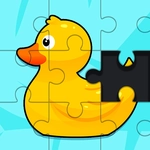
There’s something oddly satisfying about a puzzle that doesn’t punish you for experimenting. Puzzles for Kids Game keeps things gentle — bright cartoon images, chunky pieces, and zero time pressure. You’re mostly dragging or tapping fragments into their matching spots on a board. The shapes are forgiving, so even toddlers can figure it out, but that doesn’t mean your brain gets to nap. Around the fifth board I caught myself rotating pieces mentally before I even touched the screen. It’s basically digital play-doh for your pattern-matching instincts.
The controls are about as simple as it gets: click or tap a piece, drag it over the outline, and let go. If you’re close, the game sometimes gives a soft snap or highlights the edge. On a phone, it’s all thumbs — no finicky precision needed. Each completed picture bursts into a little animation or a sparkle, which sounds cheesy but honestly kept me going back to finish the set. The piece tray sits at the bottom, so you’re never hunting across the whole screen. One small quirk: the piece shapes don’t rotate, so if something looks upside down, you just need to find the right slot, not flip it.
I wouldn’t call it a brain-burner, but as a warm-up or a wind-down, it clicks. The kid-friendly theme means no ads disguised as gameplay, no timers pushing you to rush. It’s the kind of game you can leave open on a tablet for a younger sibling and not worry about. If you’ve got five minutes and want something that feels like sorting a drawer of colorful magnets, this does the job. Just don’t expect complex jigsaws with 500 pieces — it’s all about the calm, simple reward loop.
👥How to Play Puzzles for Kids Game
USE MOUSE / USE TACTILE FOR PHONE
✨Game Tips
Start by matching the biggest piece first — it anchors the picture and narrows down where the smaller ones go.
On touchscreens, use one thumb and drag from the piece’s center, not its edge, to avoid accidental grabs.
If a piece won’t lock, don’t force it; try a different silhouette in the same color group.
Pay attention to the background pattern on each piece — it works like a hidden guide.
Let a young child try the easy boards first to build confidence before introducing the harder ones.
🔧FAQ
Q: Is Puzzles for Kids Game free?
A: Yes, it’s completely free to play in your browser with no paywalls or hidden charges.
Q: Can I play Puzzles for Kids Game on my phone?
A: Absolutely. It works on mobile browsers and uses touch controls, so just tap and drag pieces with your finger.
Q: Do I need to download anything?
A: No download needed. Since it’s HTML5, it runs right in your browser as long as you have internet.
Q: What age group is this suitable for?
A: It’s designed for young kids, roughly ages 3 to 8, but anyone can enjoy the simple puzzle pace.
Q: Are there timers or penalties?
A: No timers, no life system, no penalties. You can take as long as you like on each puzzle.
Q: Does the game save my progress?
A: It doesn’t require an account, so progress is usually limited to the current browser session. Refresh might reset.