
Python Snake Simulator
Play Count0
Published2024-04-30
Supported DevicesPC
CategoryAction & Fighting
Rating★★★★★5.0Rate this game
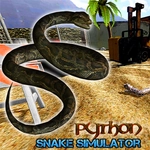
📝Python Snake Simulator Overview
Slither through the wild as a python, hunt prey, and grow massive in this unblocked 3D snake simulator.
💬What is Python Snake Simulator?
You ever wonder what it's actually like to be a snake? Not the dinky little worm from your Nokia, but a full-on python with a body that actually bends and a head you can raise up to taste the air. That's the pitch here. You crawl around a 3D world that feels more like a hiking trail than a game map, and the snake moves the way a real one does—smooth, weirdly graceful, and a little unsettling when you catch your own shadow.
The controls are simple but they take a minute to click. WASD or arrows to move, mouse to swing the camera around. The head-up mechanic is the star: hold Space or click to lift your head high, or tap E/Shift to toggle it. I spent my first few minutes just raising and lowering my head like an idiot, watching the grass part. Then I tried to sneak up on a small animal and realized my head was bobbing too much—it spooked and bolted. That's when I learned to toggle the head-up instead of holding it, so I could keep my view steady while slithering low.
What keeps me coming back is the sense of scale. You start small, but you can get huge. The camera pulls back, the world feels different, and suddenly a fallen log isn't an obstacle anymore—it's a thing you glide right over. There's no hand-holding, no tutorial walls. Just you, a forest, and whatever's dumb enough to wander close. If you get stuck or glitched, R resets the run, and P pauses when you need to breathe. It's janky in places, but it's the good kind of janky.
👥How to Play Python Snake Simulator
WASD/Arrow Keys - move
Mouse move - camera
Space/LMB - Head Up
E/Shift - Toggle Head Up
R - Restart
P - Pause Menu
✨Game Tips
Use E/Shift to toggle head-up instead of holding Space—your finger will last longer and your view stays steady.
Swing the mouse constantly to check behind you; snakes can't turn their head, but you can turn the camera.
Practice moving in tight circles right after starting—mastering the slither-turn makes hunting way easier.
Don't be afraid to raise your head in tall grass; it gives you a clean sightline over obstacles.
If your snake starts clipping through geometry or acting weird, hit R to reset the simulation cleanly.
🔧FAQ
Q: Is Python Snake Simulator free to play?
A: Yes, it's completely free on unblocked games sites. No payment or sign-up needed.
Q: Can I play Python Snake Simulator on mobile?
A: The game works in mobile browsers, but the keyboard controls make it much better on a computer.
Q: Do I need to download anything to play?
A: No downloads. It runs in your browser as HTML5, so just open the page and start slithering.
Q: What are the controls for Python Snake Simulator?
A: WASD or arrows to move, mouse to aim the camera, Space or click to raise your head, E/Shift to toggle, R to restart, P to pause.
Q: Does Python Snake Simulator have a save system?
A: There's no save feature. Each session starts fresh, so enjoy the growth while it lasts.
Q: Can I play this game at school?
A: If the site is unblocked, yes. The game itself is lightweight and runs fine on most school computers.