
QBlock Puzzle
Play Count0
Published2025-12-16
Supported DevicesPC + Mobile
CategoryPuzzle & Thinking
Rating★★★★★5.0Rate this game
📝QBlock Puzzle Overview
No timer, no falling junk—just you, a grid, and a pile of blocks that fit together like puzzle pieces, and a board that fills up faster than you think.
💬What is QBlock Puzzle?
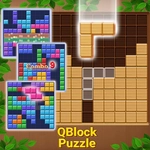
The first time I loaded QBlock Puzzle, I expected another Tetris clone. It's not. There's no gravity, no rotation, no frantic drop speed. Instead, you get a static grid and a tray of three random shapes at the bottom. You drag them anywhere, drop them, and hope you've left room for the next batch. Fill a whole row or column and it vanishes with a satisfying little flash—opening up space you desperately need. If you can't place any of your three blocks, it's over. That's the whole loop, but it hooks you fast.
The real game starts when you realize every block you place is a commitment. That long I-piece might clear a row now, but what if the next three blocks are all squares? I've lost count of how many times I cursed myself for filling a corner too early. The beauty is the pacing: no timer means you can sit and stare for five minutes, then suddenly realize you've been holding your breath. Scoring rewards multiple lines at once, so you'll chase those double and triple clears even when they're risky. It's oddly meditative until it isn't.
As the board fills, the tension ratchets up. Those empty cells in the middle become magnetic. Every drag feels heavier. I once survived with a 2x2 block wedged into the last open spot, then cleared two lines to save the run—that's the kind of moment that keeps you clicking 'new game'. Works fine with mouse or touch, but the drag can be finicky on smaller screens, so I prefer desktop for precision. It's the perfect 'one more round' game for a break, and the unblocked version loads instantly in any browser, no sign-up, no ads that interrupt.
👥How to Play QBlock Puzzle
. Drag and drop a block onto the board.
. Fill an entire row or column to clear it.
. Clearing lines gives you points and more space to keep playing.
. If a block doesn’t fit anywhere on the board, the game ends.
✨Game Tips
Keep at least one 3x3 open zone in the center for late-game blocks.
Always check your next three shapes before placing the current one.
Don't clear a line just because you can—save long blocks for multi-line combos.
Try to fill from the corners outward so edges stay clean.
If a square block appears, place it early; it's the hardest to fit later.
Use the 'no fit' warning as a signal to reassess your open spaces.
🔧FAQ
Q: Is QBlock Puzzle free to play?
A: Yes, it's completely free with no paywalls or premium upgrades.
Q: Can I play QBlock Puzzle on my phone?
A: Yes, the HTML5 version works in mobile browsers, though dragging is easier with a mouse.
Q: Do I need to download anything to play?
A: No download needed. Just open your browser, search for the unblocked game, and start playing.
Q: Does QBlock Puzzle have a timer?
A: No, you can take as long as you want per move, but the board itself runs out of space.
Q: How do I clear blocks in QBlock Puzzle?
A: Fill an entire horizontal row or vertical column with blocks and it disappears.
Q: What happens if I can't place a block?
A: The game ends. You'll see your final score and can start a new round immediately.