
Race Cars Jigsaw
Play Count0
Published2021-02-18
Supported DevicesPC
CategoryPuzzle & Thinking
Rating★★★★★5.0Rate this game
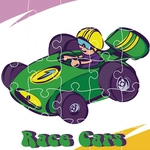
📝Race Cars Jigsaw Overview
Piece together lightning-fast race cars in this colorful jigsaw challenge that'll test your eye for detail.
💬What is Race Cars Jigsaw?
If you've ever spent a rainy afternoon hunched over a cardboard puzzle, you know the drill—but here the table doesn't get cluttered. Race Cars Jigsaw drops you into a board of scattered pieces, each one showing a slice of a sleek race car, a checkered flag, maybe a blur of track. Your job is simple: drag them into place with the mouse until the full picture snaps together. What surprised me was how quickly it becomes meditative. You're not just clicking; you're scanning for edge pieces with that flat side, grouping colors, testing a piece that looks right but isn't, then feeling that tiny dopamine hit when it finally locks in.
The controls stay dead simple: point, click, hold, release. No timer breathing down your neck (unless the mode adds one—some versions let you race the clock). I found myself developing a rhythm: corners first, then the border, then fill the middle by matching the loudest colors—red hoods, blue spoilers, yellow helmet visors. It's the kind of game you can play for five minutes or lose an hour to, perfect for when your brain needs a break from shooters or runners but you still want that sense of accomplishment. And because the images are all race cars, every completed puzzle feels like a tiny podium finish. The mouse-only controls work great on a laptop trackpad too, though a proper mouse gives you that extra precision for shimmying a piece into a tight spot. Depending on the version, you might need to rotate pieces manually or they'll snap in only when oriented correctly—so learn to recognize shapes, not just colors.
👥How to Play Race Cars Jigsaw
Use mouse to play this game.
✨Game Tips
Start with the four corners—they're the only pieces with two straight edges and they anchor the whole frame.
Sort pieces by color and pattern before you start dragging; red body panels and checkered flags are easy to separate.
Build the border first; it gives you a clear boundary and narrows down where every interior piece goes.
If a piece looks right but won't lock, try a neighboring spot—shades can fool you on screen.
Use a real mouse instead of a trackpad for smoother dragging, especially on tiny pieces.
Take breaks if your eyes glaze over; a fresh look often reveals the piece you've been hunting.
🔧FAQ
Q: Is Race Cars Jigsaw free to play?
A: Yes, you can play it right in your browser without paying anything.
Q: Do I need to download Race Cars Jigsaw?
A: No download is needed—it runs directly in your web browser as an HTML5 game.
Q: Can I play Race Cars Jigsaw on my phone?
A: The game uses mouse controls, so it works best on a desktop or laptop. Some mobile browsers support touch dragging, but it's not guaranteed.
Q: What age group is Race Cars Jigsaw suitable for?
A: It's great for kids and adults—anyone who enjoys jigsaw puzzles and race cars.
Q: Does Race Cars Jigsaw have different difficulty levels?
A: Many versions let you choose the number of puzzle pieces, from easy to challenging.
Q: Will my progress be saved if I close the tab?
A: Most browser-based jigsaw games don't save mid-puzzle progress, so plan to finish in one sitting or leave the tab open.