
RCC Car Parking 3D
Play Count0
Published2021-02-10
Supported DevicesPC
CategoryAction & Fighting
Rating★★★★★5.0Rate this game
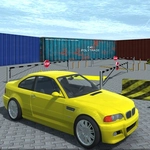
📝RCC Car Parking 3D Overview
Grab the keys, fire up the engine, and prove you can thread a 3D car into parking spaces tighter than a glove compartment.
💬What is RCC Car Parking 3D?
There’s no racing here, no cops, no nitro — just you, a car, and a painted rectangle you have to slide into without so much as a bumper kiss. RCC Car Parking 3D strips the driving genre down to its most humbling skill: spatial judgment. You get a 3D lot full of barriers, ramps, and tight corners, then you’re told to park. Sounds easy until the camera swings to an awkward angle and suddenly your left-front fender is eating a traffic cone.
What kept me coming back was the quiet tension of each attempt. The controls are simple (WASD to move, TAB or ESC for the menu) but the physics have just enough weight that overshooting a turn feels earned. Some spots demand parallel parking with only inches to spare; others have you navigating narrow alleys where a single wrong tap of the A key sends your rear wheel into a pole. The game doesn’t punish you with explosions or timers in most modes — it just leaves you there, wedged against a wall, knowing you could’ve saved it with a gentler touch on the S key.
Visually it’s clean and readable, which matters when you’re squinting at a parking bay from half a lot away. Don’t expect a deep career mode or unlockable spoilers; this is a focused skill game that respects your time. If you need a break from shooters and rage games, parking a virtual car perfectly is weirdly satisfying.
👥How to Play RCC Car Parking 3D
WASD - drive car
TAB, ESC, P - show menu
✨Game Tips
- Tap W lightly instead of holding it to creep forward — full throttle almost always sends you into a wall.
- Use A and D to adjust your angle early; correcting at the last second will almost always clip a cone.
- Line up the rear of your car with the parking bay before reversing, it makes the turn way simpler.
- If you're about to hit something, stop and reverse slowly — momentum is the enemy in tight spots.
- The menu key (TAB or ESC) lets you reset quickly if you wedge yourself into an impossible angle.
- Watch the shadows and ground markings to judge distance when the camera feels awkward.
🔧FAQ
Q: Is RCC Car Parking 3D free?
A: Yes, it's completely free to play in your browser with no hidden fees.
Q: Can I play RCC Car Parking 3D on mobile?
A: The game works best with a keyboard on desktop, but mobile touch controls may work depending on your browser.
Q: Do I need to download anything?
A: No downloads required. It runs instantly as an HTML5 game in your web browser.
Q: What are the controls?
A: Use WASD to drive, and TAB, ESC, or P to open the menu.
Q: Does RCC Car Parking 3D have a time limit?
A: Most levels let you park at your own pace, but some may include optional timers or score bonuses.
Q: Can I reset my car if I get stuck?
A: Yes, open the menu with TAB or ESC to restart the level or reposition your vehicle.