
Real Car Parking
Play Count0
Published2019-07-23
Supported DevicesPC
CategoryAction & Fighting
Rating★★★★★5.0Rate this game
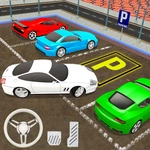
📝Real Car Parking Overview
Reverse into a tight spot without scratching the paint, avoid angry drivers, and prove you actually know how to park—can you clear every level?
💬What is Real Car Parking?
Parking a real car is stressful enough; this browser version distills that anxiety into something surprisingly addictive. You get a handful of increasingly cramped lots, a car that responds a bit too realistically to your inputs, and a camera that you'll want to toggle constantly with C. I spent way too long on the level with the pillar near the spot because I kept overcorrecting—until I realised the reverse speed is key.
The controls are simple—WASD to move, C to switch camera—but the challenge comes from judging distances. The car doesn't just snap into place; momentum carries, and the steering radius feels honest. That moment when you line up perfectly, cut the wheel, and watch the side mirror clear the line with an inch to spare? That's the good stuff. And yes, you will scrape the wall. Multiple times.
Each new level adds something to irritate you in a good way—pillars, other parked cars, angled spots, maybe a narrow entrance. The timer is generous if you don't panic, but panic is the default state after you tap a Prius. I kept coming back because the frustration loop is tight: fail, reset, adjust by a few degrees, succeed, feel like a parking god. Then the next level reminds you that you are not.
👥How to Play Real Car Parking
Controls: WASD = move, C = camere
✨Game Tips
Feather the gas instead of holding W; you need slower input for fine adjustments.
Hit C immediately at the start of each level to find the camera angle that shows your rear bumper.
Use the painted lines as reference points—align your side mirror with the spot's front line before cutting the wheel.
Reverse slower than you think you need to; momentum will carry you into the curb if you're not careful.
Don't be afraid to pull forward and straighten out; a three-point turn is better than a restart.
Watch the timer, but ignore it initially—focus on getting the angle right first, then speed improves.
🔧FAQ
Q: Is Real Car Parking free to play?
A: Yes, it's completely free in your browser with no payment or hidden fees.
Q: Do I need to download anything to play Real Car Parking?
A: No downloads or installs required—just open the page and start driving.
Q: Can I play Real Car Parking on my phone or tablet?
A: Yes, it works on mobile browsers, though a keyboard is recommended for precise steering.
Q: What are the controls for Real Car Parking?
A: Use WASD to move the car and press C to change the camera angle.
Q: Is Real Car Parking unblocked at school?
A: Since it's an HTML5 browser game, it usually bypasses filters, but every school network is different.
Q: Does Real Car Parking need a fast computer or graphics card?
A: No, it runs smoothly on most devices because it's a lightweight 3D browser game.