
Real Car Pro Racing
Play Count0
Published2021-08-10
Supported DevicesPC
CategoryDriving & Racing
Rating★★★★★5.0Rate this game
📝Real Car Pro Racing Overview
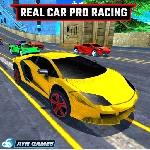
Slide into the driver's seat, floor the nitro, and wrestle a high-speed sports car through traffic and tight corners in this unblocked 3D racer.
💬What is Real Car Pro Racing?
Real Car Pro Racing doesn't mess around with tutorials or slow warm-up laps. You load in, pick your car, and immediately you're fighting the steering through a city that's way too tight for the speed the nitro gives you. The controls hit the sweet spot: arrow keys or WASD for steering and gas, N to dump a full nitro burst, C to cycle camera views, and Space for the handbrake. That handbrake isn't just for show — tap it mid-corner and the back end steps out just enough to rotate the car without losing all your momentum. I spent my first runs spinning out at every hairpin because I treated the brake like a panic button. Don't be that driver.
The nitro system is the real hook. You get a bar that fills as you drive, and hitting N on a straight can slingshot you past slower traffic. But the game punishes greed: I once popped nitro right before a gentle left, clipped a parked car, and did a full 360 across three lanes. The camera switch with C helps too. Cockpit view feels immersive, but the chase cam gives a much better read on gaps in traffic. If you want clean laps, stick to chase cam until you learn the roads.
What keeps me coming back is that it's pure arcade racing without menus, microtransactions, or career grinds. It's just you, the road, and a growing pile of near misses. The handling leans more toward fun than realistic physics, which is exactly what you want from a browser racer you can play on a school break.
👥How to Play Real Car Pro Racing
Move: "ARROW KEYS" - "WASD" Nitro: "N" Camera : "C" HandBrake : "SPACE"
✨Game Tips
Tap N for nitro on straightaways, not mid-corner unless you enjoy spinning
Space is your handbrake — feather it for tight corners instead of mashing
Press C to switch camera views; cockpit looks cool but chase cam gives better awareness
Use WASD if arrows feel too slow; both work but WASD has quicker key travel
Brake before the corner, then power out; late braking just sends you into walls
Watch your speed in traffic — a single tap of nitro can turn a clean line into a wreck
🔧FAQ
Q: Is Real Car Pro Racing free to play?
A: Yes, it runs right in your browser and costs nothing. No hidden fees or sign-ups.
Q: Can I play Real Car Pro Racing on my phone?
A: The game uses keyboard controls, so a desktop or laptop is best. Some tablets with external keyboards may work.
Q: Do I need to download or install anything?
A: No downloads. Just open the page, wait for it to load, and press the arrow keys to drive.
Q: What are the main controls for Real Car Pro Racing?
A: Arrow keys or WASD to steer and accelerate, N for nitro, C to change camera, and Space for handbrake.
Q: Does Real Car Pro Racing work on school internet?
A: It's designed for unblocked play, so as long as the site is accessible, the game should load fine.
Q: Is there a multiplayer mode or only single player?
A: This one is single player. You race against AI traffic or the clock, depending on the track.