
Real Flight Simulator
Play Count0
Published2024-07-05
Supported DevicesPC + Mobile
CategoryAction & Fighting
Rating★★★★★5.0Rate this game
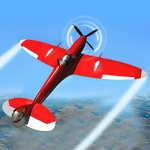
📝Real Flight Simulator Overview
Grab the throttle and push forward—your plane lurches down the runway, lifts off, and suddenly the whole map is yours to explore, if you can keep the nose up.
💬What is Real Flight Simulator?
The first thing I did was slam the throttle to full and yank back on the mouse—bad idea. The plane stalled, dipped a wing, and kissed the grass before I even cleared the treeline. After a couple more humbling attempts, I figured out that small movements are everything. You steer by keeping the cursor near the center of the screen, and the plane follows. Throttle controls are a tap or click away, and there's a mini-map for knowing which way is the runway.
It's not a hardcore sim like Microsoft Flight Simulator, but it nails the basic feeling: pull too hard and you'll hear the wind buffet, push the nose down and airspeed builds fast. The map has a few airports, mountains, and coastline. I spent ten minutes just flying low over the water to see if the waves would clip the gear. They don't, but it feels close. The real aha moment came when I finally greased a landing after cutting throttle at the right time and flaring at the last second—the soft chirp of tires on tarmac made all the previous crashes worth it.
What keeps me coming back is the landing. Every touchdown feels earned because the plane actually bounces if you come in too steep. If you want a chill fly-around with zero downloads, this is a solid pick. Just don't expect a cockpit full of switches—it's about the feel, not the checklists.
👥How to Play Real Flight Simulator
Mouse click or tap to play
✨Game Tips
Tap the throttle gently when you're low and slow; slamming it can spin you into a stall right after liftoff.
Keep your mouse movements tiny near the runway—overcorrecting is the fastest way to clip a wing on a light pole.
Use the mini-map to line up the runway from far out, not just when you're already on final approach.
Cut throttle to idle before touchdown and flare at the last second; the plane settles much softer.
If you're fighting the controls, zoom out once—the wider view makes the plane's attitude easier to read.
Don't chase the altitude marker with big pulls; small nudges keep the nose from porpoising.
🔧FAQ
Q: Is Real Flight Simulator free to play?
A: Yes, the game is completely free in your browser with no paywalls or energy limits.
Q: Can I play Real Flight Simulator on mobile?
A: Yes, the touch controls work on phones and tablets. Just tap and drag to steer.
Q: Do I need to download anything?
A: No downloads. It runs as HTML5, so you only need a browser and an internet connection.
Q: What are the controls?
A: Use your mouse or finger to control the plane. Tap or click the throttle buttons to adjust speed.
Q: Is the game hard?
A: It's easy to learn but takes practice to land smoothly. Replays help a lot.
Q: Can I save my progress?
A: This is a session-based game, so your flight resets each time you refresh, but there's no progress to lose.