
Reflex Pong
Play Count0
Published2026-08-17
Supported DevicesPC + Mobile
CategoryArcade & Classic
Rating★★★★★5.0Rate this game
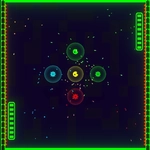
📝Reflex Pong Overview
Bounce, deflect, and shield your way through a neon-drenched paddle duel where every millisecond counts.
💬What is Reflex Pong?
The paddle whips up the screen, the ball rockets off at a stupid angle, and your thumb hovers over the shield button. That's Reflex Pong in a nutshell. It takes the bare-bones idea of Pong and injects a hit of caffeine: shields, accelerating rallies, and the constant threat of a perfectly placed shot that leaves you flat-footed.
Each side has a paddle you move with keyboard (W/S for left, arrows for right) or by swiping on your half of the screen. The shield is your panic button—spacebar or tapping the shield icon—and it blocks almost anything, but only for a split second. Use it too early and the next shot slips past. Use it too late and you're already dead. The shield cooldown is the real skill check—you get one block per few seconds, so smart players bait it out. That timing loop kept me coming back for 'one more round' until my roommate threatened to hide the keyboard.
What really surprised me was the mobile feel. Swiping the left half of the screen moves your paddle smooth as butter, and the touch controls never lag behind the action. Two-player mode is where this game shines: you can share the keyboard or pass the phone, and the smack-talk writes itself. The ball speeds up after each clean return, so rallies turn into lightning-fast ping-pong duels. I found the sweet spot: wait until the ball is almost at your paddle before twitching upward, it gives you maximum angle. If you pause with Escape, the tension doesn't vanish—it just waits. No downloads, no ads piled on top, just a pure shot of arcade reflexes.
👥How to Play Reflex Pong
Keyboard Controls:
• W / S: Move left paddle up/down.
• Up / Down Arrows: Move right paddle up/down.
•Shield: Spacebar to activate shield.
• Pause: Escape key to pause the game.
Touch Controls
• Left Screen Swipe: Move left paddle
✨Game Tips
Tap spacebar a beat early than feels safe—shield lag is real.
Stay near the center of your side when returning, it shortens the angle to reach any corner.
In two-player, distract your opponent by faking an aggressive push then softly drop-shotting.
On mobile, use short quick swipes instead of long drags for finer paddle control.
After a long rally, the ball speeds up; reset your eyes to the center line before each serve.
Pause with Escape the moment someone yells 'wait', because the ball doesn't wait.
🔧FAQ
Q: Is Reflex Pong free to play?
A: Yes, it's completely free in your browser with no paywalls or hidden fees.
Q: Can I play Reflex Pong on my phone?
A: Yes, the touch controls work great on mobile—just swipe on your side of the screen to move the paddle.
Q: Do I need to download or install anything?
A: No downloads needed. It runs instantly as an HTML5 game in any modern web browser.
Q: How do I activate the shield in Reflex Pong?
A: Press the spacebar on keyboard or tap the shield button on screen to block an incoming shot.
Q: Is Reflex Pong a two-player game?
A: Yes, two players can share a keyboard using W/S and arrow keys, or pass a phone and use touch swipes.
Q: Does Reflex Pong work offline?
A: You need an internet connection to load the game page, but after that it plays smoothly without lag.