
Resizer
Play Count0
Published2021-10-18
Supported DevicesPC + Mobile
CategoryPuzzle & Thinking
Rating★★★★★5.0Rate this game
📝Resizer Overview
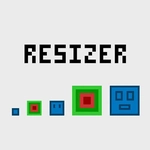
Shrink to slip through a slit, then blow up to smash a wall — size is your only weapon in this brain-bending puzzle platformer.
💬What is Resizer?
Resizer keeps things brutally simple: you're a little block, and you can change how big you are. That's it. But the puzzles built around that one mechanic get surprisingly devious. One second you're squeezing a two-pixel gap, the next you're too large to fit back through the doorway you just came from, so you have to rethink the whole route. I lost a solid twenty minutes on one level where I thought I had the solution, only to realize I'd been resizing the wrong direction the entire time.
The movement feels tight enough — WASD or arrows work fine, and the reset key (R) becomes your best friend because you'll be restarting rooms constantly. Not out of frustration, though. More like that itch when you know you're one step off and just need to try a slightly different order of operations. The minimal art style means zero distractions; every tile, every gap, every switch has a purpose.
It won't blow you away with graphics or story, but if you enjoy that quiet satisfaction of solving a puzzle without any hand-holding, Resizer scratches that itch. Some later levels add momentum tricks where your size affects how you bounce or block lasers, which keeps it from feeling one-note. Perfect for a short break, but don't be surprised if you blink and an hour's gone.
👥How to Play Resizer
Menu Select: Enter or Space
Move: WAD or Arrow Keys
Reset: R
Back: Esc or B
✨Game Tips
Always check the whole room before resizing — a switch you see now might be unreachable at your current size.
Use the reset button shamelessly; it's faster than walking back.
Smaller sizes squeeze through tight gaps but can't press weight plates.
Try resizing mid-jump to change your arc or fit through a gap in motion.
Pay attention to the background grid — it hints at exact sizes you'll need.
🔧FAQ
Q: Is Resizer free to play?
A: Yes, it's completely free in your browser. No paywalls or hidden fees.
Q: Do I need to download anything to play Resizer?
A: No downloads or installs. It runs directly in any modern web browser as an HTML5 game.
Q: Can I play Resizer on my phone?
A: The browser version works on mobile, but the keyboard controls are optimized for desktop. Touch controls may vary.
Q: What are the controls for Resizer?
A: Use WASD or arrow keys to move, Enter or Space to select or resize, R to reset the level, and Esc or B to go back.
Q: Is Resizer suitable for kids?
A: Yes, the puzzles are logic-based with no violence or inappropriate content. Some later levels can be tricky though.
Q: How many levels does Resizer have?
A: The full version includes a generous set of levels, with new mechanics introduced gradually. Exact count varies by update.