
ReSizing - Timekiller Game
Play Count0
Published2020-07-28
Supported DevicesPC
CategoryArcade & Classic
Rating★★★★★5.0Rate this game
📝ReSizing - Timekiller Game Overview
One click stretches you, one click squishes you—how long can you thread the needle in this twitchy arcade gauntlet?
💬What is ReSizing - Timekiller Game?
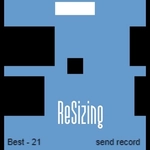
The first time I played ReSizing - Timekiller Game, I died six times in the opening twenty seconds. Not because it's unfair—because I kept second-guessing my clicks. You control a shape that's always moving forward, and every obstacle demands you be either thinner or wider. Click to the left of your shape and it stretches out; click to the right and it compresses. That's the whole game, but the devil's in the timing. Gaps come at you in rapid sequence, and a half-second hesitation means you're smashing into a wall that was obviously meant for a different size.
After a few rounds, a rhythm starts to emerge. You stop thinking 'left click, right click' and start reading the gauntlet as one continuous shape-shifting puzzle. I found myself making micro-adjustments—a tiny stretch here, a slight squash there—instead of slamming from max to min like a panicked accordion. When you nail a tricky sequence, it feels silky. When you clip an edge because you were two pixels too wide, you know it was your fault, not the game's. The Q key to mute the music is a nice touch too; sometimes silence is better when you're tracking split-second visual cues.
As a timekiller, it's dangerously effective. You'll tell yourself one more run, and then forty minutes vanish. The minimalist look keeps distractions low, and the controls are simple enough that you can jump back in after weeks away and still have the muscle memory. It's the kind of browser game you keep in a tab for five-minute breaks that turn into fifty. If you like arcade reflex tests that punish hesitation and reward flow, this one will eat your afternoon.
👥How to Play ReSizing - Timekiller Game
Control:
LMB to the left of the player - extension
LMB to the right of the player- compression
Q - turn off the music
🔧FAQ
Q: Is ReSizing - Timekiller Game free?
A: Yes, it's completely free to play in your browser with no hidden charges.
Q: Do I need to download anything to play ReSizing - Timekiller Game?
A: No download needed. It runs directly on the website as an HTML5 game.
Q: Can I play ReSizing - Timekiller Game on my phone?
A: Yes, it works on mobile browsers, though mouse clicks are easier on desktop.
Q: What does Q do in ReSizing - Timekiller Game?
A: Pressing Q turns off the background music so you can focus or play your own tunes.
Q: How do the controls work in ReSizing - Timekiller Game?
A: Click to the left of the player to stretch it, or to the right to compress it.
Q: Is ReSizing - Timekiller Game good for quick breaks?
A: Absolutely. Rounds are short and restart instantly, perfect for killing a few minutes.