
Retro Cars Coloring
Play Count0
Published2020-10-14
Supported DevicesPC
CategoryArcade & Classic
Rating★★★★★5.0Rate this game
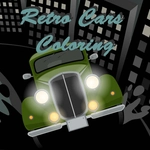
📝Retro Cars Coloring Overview
Those boxy chrome bumpers and tail fins aren't going to paint themselves—grab a digital brush and give these old-school rides a fresh coat.
💬What is Retro Cars Coloring?
Here's the deal: Retro Cars Coloring doesn't pretend to be anything but a chill way to kill ten minutes. You get a lineup of vintage machines—think '57 Chevys, bubble-fendered roadsters, maybe a wood-paneled wagon—and a palette that's actually generous enough to make each one yours.
The interface is click-or-tap simple. Pick a shade, then tap a section of the car body, the wheels, the window glass. The fills snap into place with zero bleed, which feels oddly satisfying. I kept going back to a turquoise-and-cream combo on the Bel Air because the roof pillars left just enough room to mess with two-tone gradients without needing a steady hand. That's the kind of detail you notice after the third car.
If you're expecting a timer or a scoring system, you won't find one. It's pure, pressure-free coloring. The retro art style leans into thick outlines and flat panels, so it's easy to see which part you're about to flood with color. Kids will like the instant reward; adults who grew up around these cars might get a little nostalgic. Either way, it works on a mouse or a touchscreen without any setup.
👥How to Play Retro Cars Coloring
Use your mouse to play the game or tap on the screen.
✨Game Tips
Start with the largest body panel to get a feel for the palette before touching the chrome details.
Use two-tone combos by painting the roof or fenders a secondary shade—it instantly makes the car pop.
Check the grille and hubcaps for tiny unpainted spots; they're easy to miss when you're rushing.
Don't rush the windows: a light blue or gray beats solid black unless you're going for a night drive look.
Work from the outside in—body, then wheels, then trim—so you never smudge your mental plan.
🔧FAQ
Q: Is Retro Cars Coloring free?
A: Yes, it's completely free to play in your browser with no hidden costs.
Q: Do I need to download anything to play Retro Cars Coloring?
A: No downloads needed. It runs as an HTML5 game, so just open the page and start.
Q: Can I play Retro Cars Coloring on my phone?
A: Yes, tap the screen instead of clicking; it works on mobile browsers.
Q: Is Retro Cars Coloring suitable for kids?
A: Absolutely, there's no timer, no violence, and the controls are super simple.
Q: How do I change colors in Retro Cars Coloring?
A: Click or tap a color swatch from the palette, then tap the car section you want to fill.
Q: Does Retro Cars Coloring save my finished cars?
A: Usually there's no built-in save, but you can screenshot your work to keep it.