
Retro Pong
Play Count0
Published2025-04-24
Supported DevicesPC
CategoryAction & Fighting
Rating★★★★★5.0Rate this game
📝Retro Pong Overview
Grab a friend and relive the pixelated glory of the original paddle duel—one bounce at a time.
💬What is Retro Pong?
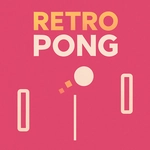
You'd think a game with two white paddles and a square ball would be boring by now. You'd be wrong. Retro Pong strips everything down to the purest form of reflex and prediction, and it's still as tense as any modern shooter. There's a tiny delay between the ball hitting the top of your paddle and it ricocheting downward that makes you feel like you're reading your opponent's mind. Miss that read and the ball whips past you with a digital blip that somehow stings more than a death screen.
I kept coming back for the two-player mode. Sitting shoulder to shoulder with someone, both of us hammering arrow keys or W/S, turns into this silent psychological standoff. You don't need fancy graphics or power-ups—just a friend who gets greedy and overreaches toward their corner, leaving a gap right down the middle. I've screamed at my own paddle more than I care to admit.
The single-player AI is no pushover either. It starts off lazy, letting you think you're good, then ramps up the angle precision after the first few points. If you've never played the original, this is the version to try. It loads instantly, no distractions, and the retro beep sounds are perfectly crunchy. Just don't blame me when your wrist cramps from tiny paddle adjustments.
👥How to Play Retro Pong
Control is available for one or two players using the keyboard.
✨Game Tips
Keep your paddle's center aligned with the ball's path, not its current position.
Angle shots by hitting the ball near the paddle's edge to send it flying at a sharp diagonal.
In two-player, bait your opponent to overcommit to one side, then slam it the other way.
Against the AI, watch for its predictable corner shots after a long rally.
Use short, controlled taps instead of holding the key—precision beats speed here.
Play a few warm-up volleys to get the physics timing down before going competitive.
🔧FAQ
Q: Is Retro Pong free to play?
A: Yes, Retro Pong is completely free with no hidden paywalls or in-game purchases.
Q: Can I play Retro Pong on mobile?
A: The game works on touch devices, but keyboard input is recommended for best control. On-screen buttons may appear on mobile.
Q: Do I need to download anything to play Retro Pong?
A: No downloads required. Retro Pong runs directly in your browser as an HTML5 game.
Q: Can two people play Retro Pong on the same computer?
A: Yes, two-player mode uses one keyboard—Player 1 uses W/S or arrow keys up/down, Player 2 uses arrow keys down/up depending on setup.
Q: Is there a single-player mode in Retro Pong?
A: Yes, you can play against an AI opponent that gradually increases difficulty as the match progresses.
Q: What are the controls for Retro Pong?
A: Player 1 uses W and S (or Up and Down arrows) to move the left paddle. Player 2 uses the same keys for the right paddle.