
Roblox Coloring Game
Play Count0
Published2023-12-20
Supported DevicesPC + Mobile
CategoryGirls & Lifestyle
Rating★★★★★5.0Rate this game
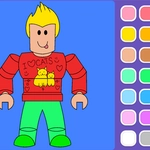
📝Roblox Coloring Game Overview
Pick up the digital brush and fill those blank Roblox faces with whatever wild palette you can dream up.
💬What is Roblox Coloring Game?
There's something deeply satisfying about turning a blank Roblox-style outline into your own neon fever dream. You get a stack of character pages—blocky avatars, goofy faces, accessories—and a palette that's way bigger than it needs to be. Mouse click or drag on desktop, finger taps or drags on mobile. That's the whole control scheme. No timers, no scoreboards, just you and a color wheel against a white void.
I spent a good chunk of one session trying to recreate the classic red-and-blue combo of a certain blocky character, only to discover that the fill tool doesn't care about my nostalgia. One tap too many and his face went full avocado green. I nearly restarted, then realized the game honestly rewards that kind of chaos. The magic is in the little details—the way the outlines stay crisp even when you slop color outside, or how you can switch from a fat brush to a pinpoint one for tiny logos and buttons. Some pages have enough small zones that you'll want a stylus, but on mobile the pinch-to-zoom helps a lot.
What keeps me coming back is the sheer lack of pressure. It's the opposite of a high-score chase. You pick a page, you pick a mood, and you fill space until your hand cramps or the page looks like a Lisa Frank explosion. If you need a brain break between actual Roblox sessions, this is the low-stakes companion piece you didn't know you wanted.
👥How to Play Roblox Coloring Game
On PC = Mouse click or drag to play. On Mobile = Finger clicks or drag to play.
✨Game Tips
• Zoom in on smaller sections first so you don't accidentally color outside a line you overlooked.
• Use the fill tool for big background areas, then switch to a thin brush for faces and tiny details.
• Save your finished pieces regularly if the game offers a download or screenshot button—don't lose your best work.
• Experiment with weird color combos; nobody's grading you, and neon green skin looks hilarious.
• If your drag strokes lag, use one-tap fill on mobile for cleaner edges.
• Restart a page if colors aren't filling correctly; sometimes the overlay needs a refresh.
🔧FAQ
Q: Is Roblox Coloring Game free?
A: Yes, it's completely free to play in your browser with no hidden paywalls.
Q: Can I play Roblox Coloring Game on mobile?
A: It works on phones and tablets using touch controls. Tap or drag to color.
Q: Do I need to download anything to play?
A: No downloads or installs needed. Just open the page and start coloring.
Q: What age group is this game suited for?
A: It's great for younger players and anyone who enjoys relaxing, creative coloring.
Q: Does Roblox Coloring Game save my artwork?
A: Some versions let you screenshot or download finished pages. Check for a save icon.
Q: Why won't the colors fill properly on my screen?
A: Refresh the page or switch from drag to tap fill. Usually clears up hitbox issues.