
Roblox Parkour Adventure
Play Count0
Published2026-08-10
Supported DevicesPC + Mobile
CategoryFun & Crazy
Rating★★★★★5.0Rate this game
📝Roblox Parkour Adventure Overview
Sprint, leap, and wall-jump through increasingly tricky Roblox-style obstacle courses where one mistimed landing sends you tumbling.
💬What is Roblox Parkour Adventure?
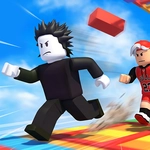
Roblox Parkour Adventure drops you onto a series of floating, candy-colored obstacle courses that look like someone ripped a Roblox obby straight out of 2012. You sprint off ledges, clear spinning beams, and land on skinny blocks that feel twice as narrow as they look. The movement is snappy—WASD for direction, Space for jump, Shift for a burst of speed—and the game doesn't punish you for experimenting. That's good, because you will experiment. A lot.
I kept getting wiped on a section where three rotating bars sweep across a narrow bridge. The trick wasn't jumping earlier or later; it was to stop holding Shift and let the timing settle into a rhythm. Once I quit fighting the camera and watched the bar's arc, I cleared it in two tries. That's the loop: read the pattern, commit, then adjust. If a jump feels impossible, press G to lift into the air and scout the next platform. It almost feels like cheating, but the later levels expect you to use fly mode for vertical climbs. Q and E shift your height up and down, which saved me more than once when I clipped a ledge.
There's no real story, no enemies to grind, just you against geometry. And that's enough. F does throw a weak punch, but it's mostly for show—this is a parkour game, not a brawler. The checkpoints are generous, so you won't lose ten minutes of progress because of one mistimed jump. It runs in any browser, no download, no Roblox account needed. I'd call it a solid way to burn fifteen minutes, or an hour if you're stubborn like me.
👥How to Play Roblox Parkour Adventure
On PC: WASD: Move. Space: Jump. Shift: Run. F: Attack. G: Fly. Q: Up. E: Down.
On Mobile: Click the on-screen button: Operate.
✨Game Tips
Tap Space at the very edge of a platform to trigger a higher jump—timing beats holding the key.
Use Shift to build speed before long gaps, but release right before jumping or you'll overshoot.
If a section seems impossible, press G to fly up and scout the route first.
Stay calm on one-block-wide beams; don't fight the camera with the mouse.
Remember Q and E adjust your height in fly mode if you're stuck under a ledge.
🔧FAQ
Q: Is Roblox Parkour Adventure free to play?
A: Yes, it's completely free in your browser with no payment required.
Q: Can I play Roblox Parkour Adventure on mobile?
A: Yes, the game supports touch controls with on-screen buttons for movement and jumping.
Q: Do I need to download Roblox or any extra software?
A: No, the game runs directly in your browser using HTML5.
Q: What are the controls on PC?
A: Use WASD to move, Space to jump, Shift to run, F to attack, and G to fly.
Q: Is there a way to restart from a checkpoint?
A: Yes, the game automatically saves your progress at checkpoints when you touch them.
Q: Can I play with friends?
A: This version is single-player only, but you can challenge friends to beat your time.