
Robot Jigsaw
Play Count0
Published2021-07-02
Supported DevicesPC
CategoryPuzzle & Thinking
Rating★★★★★5.0Rate this game
📝Robot Jigsaw Overview
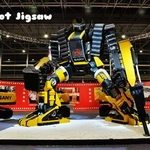
Piece together clanking robot assemblies from broken fragments, matching gears and metal plates until every mechanical marvel stands whole again.
💬What is Robot Jigsaw?
Robot Jigsaw doesn't mess around with fancy menus or story modes. You get a selection of robot illustrations, each one sliced into a few dozen pieces, and you drag them onto the board until the picture clicks together. I keep coming back because the pieces have just enough visual noise — bolts, wires, glowing eyes — to make you actually think instead of matching shapes on autopilot. The mouse controls are dead simple: click a piece, hold, drop it where it belongs. If you're close but not exact, the piece snaps out, which can be mildly infuriating in the best way.
The real aha moment for me was figuring out that rotating pieces isn't necessary. Everything you drag is already upright, so your brain only has to solve position, not orientation. That sounds easier, but it means the puzzle leans hard on pattern recognition. Some of the later robots have huge expanses of near-identical gray armor, and you'll find yourself comparing bolt spacing for minutes. I'd genuinely recommend starting with the smaller piece counts to learn the image layouts.
One thing I wish more people knew: you can peek at the completed robot whenever you want, but not in the same screen. It's a separate reference image. Use it. The timer adds a little pressure if you're into speedruns, but you can ignore it and just chill. For kids, the robot theme is friendly enough — no gore, no violence, just mechanical pals. But don't mistake it for a baby game; some pieces are genuinely tricky. I've lost a few minutes hunting for a single cable fragment that was hiding in plain sight near the robot's ankle. Overall, it's a solid brain break that doesn't demand your soul.
👥How to Play Robot Jigsaw
Mouse Drag And Drop
✨Game Tips
Start with the border every time. Those straight edges anchor everything else.
Click and hold to drag, but release carefully — if a piece snaps back, you were just off target.
Memorize the reference image before you start. Knowing that red eye is top-right saves ages.
Sort pieces into rough zones first: head, torso, limbs. It beats scanning the whole pile repeatedly.
If you're stuck, zoom out and look for color clusters. Bunch of blue? Probably the robot's chest plate.
Don't stress the timer on your first go. Learning the image matters more than a fast clear.
🔧FAQ
Q: Is Robot Jigsaw free to play?
A: Yes, it's completely free in your browser with no hidden paywalls.
Q: Can I play Robot Jigsaw on my phone?
A: Yes, the drag-and-drop controls work on touchscreens too, though a mouse feels better.
Q: Do I need to download or install anything?
A: No downloads needed. It runs directly in your web browser as HTML5.
Q: What are the controls?
A: Use your mouse or finger to click a piece, drag it to the board, and release to place it.
Q: How many robot puzzles are included?
A: There are multiple robot images with different piece counts, from easy to challenging.
Q: Is Robot Jigsaw suitable for kids?
A: Absolutely. The robot theme is non-violent and the simple controls make it kid-friendly.