
Robotus
Play Count0
Published2020-10-19
Supported DevicesPC
CategoryAction & Fighting
Rating★★★★★5.0Rate this game
📝Robotus Overview
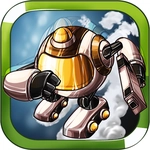
Pilot your battle-worn robot through endless enemy swarms, weaving between glowing bullets and hammering the spacebar to return fire.
💬What is Robotus?
Robotus doesn't waste time with tutorials or menus. You're in a robot, enemies are flying at you, and the only thing between you and a game over is how fast you can press spacebar while weaving through glowing projectiles. Arrow keys move you around the screen; on a phone, you swipe up or down to dodge. That's it. Simple controls, brutal pacing.
The enemies come in waves, and they don't wait for you to figure things out. My first few runs ended in seconds because I tried to dodge everything—bad idea. The real trick is to keep firing and make small adjustments instead of sweeping across the screen. Once I stopped panicking and started hugging the edges, I lasted long enough to see the patterns. There's a rhythm to it: some enemies drift straight at you, others fire from the sides. You'll learn where to be before the bullets arrive.
If you've got five minutes between classes or just need something loud and fast, Robotus delivers. The touch controls actually work, which is rare for browser shooters. Swipe up to move up, swipe down to move down, and the shooting is handled separately—tap or press spacebar to fire. I keep coming back because it scratches that arcade itch without needing a download or an account. Just open the page and start blasting.
👥How to Play Robotus
Keyboard = Arrow key and spacebar key to shoot
Touch (Mobile) = swipe up and swipe down to move
✨Game Tips
Stick to the edges early on to reduce the angles enemies can hit you from.
Keep your finger or thumb resting on spacebar—constant fire beats careful aim.
On mobile, short swipes give better control than huge drags.
Focus on the gaps between bullets, not the bullets themselves.
Learn the enemy spawn pattern: left side enemies usually arrive before right side.
Don't chase power-ups if it means leaving a safe lane.
🔧FAQ
Q: Is Robotus free to play?
A: Yes, Robotus is completely free to play on any browser with no hidden costs.
Q: Do I need to download anything to play Robotus?
A: No downloads are required—just open the game page and it runs instantly.
Q: Can I play Robotus on my phone?
A: Yes, the touch controls let you swipe up and down to move and tap to shoot.
Q: What are the desktop controls for Robotus?
A: Use the arrow keys to move your robot and press the spacebar to fire.
Q: Is Robotus unblocked at school?
A: Yes, on our site Robotus is unblocked and works on most school networks.
Q: Does Robotus have multiplayer or co-op?
A: No, Robotus is a single-player arcade shooter—you against the enemy waves.