
Rock Music Game
Play Count0
Published2021-07-30
Supported DevicesPC + Mobile
CategoryArcade & Classic
Rating★★★★★5.0Rate this game
📝Rock Music Game Overview
Four keys, four lanes, and a riff that won't quit—how long can you hold the groove before your fingers trip over themselves?
💬What is Rock Music Game?
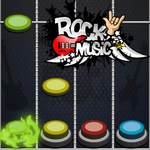
I've played a lot of rhythm games that pile on mechanics until your brain melts. Rock Music Game does the opposite. You get four lanes and four inputs: A, S, K, L on a keyboard, or four fat thumb-sized buttons on a touchscreen. Colored notes stream down each lane toward a hit line. Your job is to tap the matching key or zone the instant a note crosses that line. Miss, and the combo counter snaps to zero with a dull thud that genuinely stings.
The first time I nailed a 50-note streak, the screen lit up and the backing track swelled like the game was cheering me on. That's the hook. It isn't just about timing; it's about staying calm when the tempo lurches and three notes arrive almost stacked on top of each other. You'll catch yourself leaning forward, thumbs hovering, breathing shallow. What surprised me most is how much the pause after a fast section can wreck you. Your fingers want to keep smashing, but the game waits, and you have to wait with it. That's a real rhythm skill, not just twitch reaction.
The track choices lean into rock—crunchy riffs, pounding drums—and the beat maps actually follow the music instead of feeling like a random note dump. On desktop, keyboard taps feel snappier and more precise. On mobile, the touch buttons are large enough that fat-fingering is rare, but you'll still need clean timing. If you want a quick rhythm fix without a download or a login, this is the one to load in a spare tab. It's forgiving enough to learn in a minute, but the later speeds will humble you. I kept coming back just to beat my own high score, which is the whole point.
👥How to Play Rock Music Game
Desktop:
A -S - K - L
Mobile:
Touch Buttons on Screen
✨Game Tips
- Ignore the colors at first; focus only on the bottom hit line and the note's center touching it.
- On desktop, keep your fingers resting on A/S/K/L—hovering causes late hits.
- When two notes in different lanes line up, treat them as one tap, not two rushed hits.
- If a fast section breaks your combo, don't chase it; the next note still scores independently.
- Phone players should use thumbs, not index fingers—the button spacing is built for it.
🔧FAQ
Q: Is Rock Music Game free to play?
A: Yes, it's completely free with no paywalls.
Q: Can I play Rock Music Game on mobile?
A: Yes, the game has touch buttons that work in any mobile browser.
Q: Do I need to download anything?
A: No, it runs directly in your browser as HTML5.
Q: What are the controls for Rock Music Game?
A: Use A, S, K, L on desktop or tap the on-screen buttons on mobile.
Q: Does Rock Music Game need an internet connection?
A: You need internet to load the page, but the game itself runs smoothly.
Q: Is Rock Music Game suitable for beginners?
A: Absolutely, the early notes are slow and the rhythm is easy to follow.