
Roll a Ball
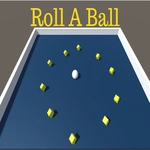
📝Roll a Ball Overview
Ever tried steering a wobbly soccer ball through a maze of spinning traps using only your mouse? One wrong nudge and you're back to start.
💬What is Roll a Ball?
I've played a lot of rolling games where the ball feels like a marble on glass, but Roll a Ball gives the ball actual weight. You can feel every skid when you whip the mouse too fast, and that's what kept me coming back. The goal is simple: get the ball into the net without getting knocked off the course. What got me was the timing—there's a particular section with three rotating bars where I died maybe twenty times before I realized you can squeeze through by moving the ball backward for half a second to reset the angle.
The mouse controls are the whole story here. You're not pressing arrow keys; you're physically dragging the ball around the field. That means short flicks do nothing, but long sweeping motions send the ball careening into a corner. It's frustrating in the best way. The camera follows close behind, so when you barely miss a moving obstacle and end up teetering on the edge, your heart actually jumps. I found myself leaning in my chair, which is always a good sign.
There's no timer, no lives system beyond starting over, and no annoying pop-ups. Just you, a soccer ball, and a series of increasingly tricky courses that punish impatience. If you like games that are easy to pick up but hard to master, this one will eat your lunch. In a good way.
👥How to Play Roll a Ball
Use Mouse To Play and Keyboard
✨Game Tips
Use short, controlled mouse flicks for precision—long sweeps make the ball overshoot.
Watch the spinning obstacles for a couple of seconds before attempting a gap.
The edges can bounce you in useful directions if you clip them at an angle.
Don't rush after a near miss; back up and reset your position to keep control.
Remember that the ball keeps rolling after you stop moving the mouse, so plan your stops early.
🔧FAQ
Q: Is Roll a Ball free to play?
A: Yes, it's completely free with no hidden payments or locked levels.
Q: Can I play Roll a Ball on my phone?
A: It works in a mobile browser, but a mouse or trackpad is strongly recommended for accurate control.
Q: Do I need to download anything?
A: No downloads or installs required—just open the page and start rolling.
Q: What are the controls?
A: Move your mouse to guide the ball; keyboard keys can also nudge it if the game supports alternative input.
Q: Is Roll a Ball suitable for kids?
A: Yes, it's family-friendly with no violence or inappropriate content.
Q: Does Roll a Ball have multiple levels?
A: Yes, the courses increase in difficulty, adding more moving obstacles and tighter paths.