
Roll The Ball 2
Play Count0
Published2021-04-06
Supported DevicesPC
CategoryArcade & Classic
Rating★★★★★5.0Rate this game
📝Roll The Ball 2 Overview
Slide those tiles and watch the ball roll home—can you clear every puzzle without pulling your hair out?
💬What is Roll The Ball 2?
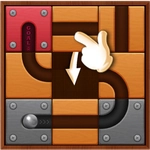
Roll The Ball 2 might look like a simple sliding tile puzzle, but I've burned entire lunch breaks on it. You get a grid of tiles, some fixed, some sliding. The ball sits on one end, the goal on the other. Slide the tiles around to piece together a continuous track for the ball. Sounds easy? The first few levels absolutely are. Then the game introduces intersections, rotating pieces, and tiles that can't move. That's when the head scratching starts.
What makes it work is the physical feel. When you slide a tile into place and release, there's a satisfying click, and the ball actually rolls along the track you've built. If there's a gap, it falls off into the void, and you reset the level. You can watch the ball's momentum as it curves around corners, which sometimes gives you a hint about which tiles need to move next. I remember one early level where I'd built a perfectly straight path but the ball kept stopping just short of the goal. Turns out one tile had a tiny bend I'd overlooked—it was rotated 90 degrees from where it needed to be. That little "aha, you idiot" moment is exactly what keeps me coming back.
The difficulty curve is well-tuned, casual but not toothless. Levels unlock in sequence, and you'll find yourself revisiting old ones to shave seconds off your time. There's a star rating based on how many moves you use, so efficiency matters. If you're the type who likes to overthink, you can sit there planning every slide. If you're more of a trial-and-error person, the game lets you undo fast. Either way, it's a calm, brain-tickling way to kill 10 minutes. Just don't expect to stop after one level.
👥How to Play Roll The Ball 2
mouse
✨Game Tips
Slide the empty space first, not the tile you want to move—it saves moves.
Look for fixed tiles and build around them; they anchor your path.
Rotate pieces with a right-click or double-click if dragging feels fiddly.
If the ball falls at the same spot, check that tile's alignment, not the whole row.
Use the hint button sparingly; it costs stars but can unblock a mental jam.
Time attack resets your ball position, so plan the entire route before hitting go.
🔧FAQ
Q: Is Roll The Ball 2 free to play?
A: Yes, it's completely free in your browser. No hidden charges or paywalls.
Q: Can I play Roll The Ball 2 on my phone?
A: It works on mobile browsers, but a mouse gives you finer control over tile sliding.
Q: Do I need to download any software?
A: No downloads needed. It runs instantly as an HTML5 game.
Q: How do I rotate a tile in Roll The Ball 2?
A: Click or tap a rotatable tile to spin it 90 degrees. Some pieces rotate, others only slide.
Q: Why does the ball keep falling at the same spot?
A: Check if that tile is rotated correctly or if there's a gap. Rebuild that section carefully.
Q: Is there a hint system if I get stuck?
A: Yes, the hint button shows where to move next, but using it may reduce your star rating.