
Sailor Moon Character Creator
Play Count0
Published2021-05-28
Supported DevicesPC
CategoryGirls & Lifestyle
Rating★★★★★5.0Rate this game
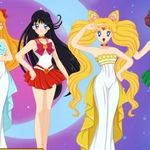
📝Sailor Moon Character Creator Overview
Ever wondered how you'd look as a Sailor Scout? Grab the mouse and start mixing hair, eyes, and that iconic uniform.
💬What is Sailor Moon Character Creator?
Right, so this is the kind of browser toy that eats your afternoon without you noticing. You're building a Sailor Guardian from the boots up. Pick a face shape, then start swapping hair—there are the classic twin buns with flowing tails, short pixie cuts, long waves. Every click swaps the part instantly, so you can flip through options fast. I kept going back to the odango style because it's just so iconic, but adding a pink tint made it feel fresh.
The outfit section is where it gets dangerous. You can change the dominant color of the sailor collar, the skirt length, even the front bow—yes, that bow has its own color picker. I accidentally made a black-and-red scout that looked more like a villain, which honestly ruled. The interface is simple: everything's laid out as buttons on the side, and the preview updates instantly. No lag, no loading screens. If you're on a phone, tap works fine, though I preferred a mouse for precision when fiddling with the tiny accessory icons.
Look, this isn't a full RPG. There's no fighting evil by moonlight here. It's a dress-up sandbox with a Sailor Moon coat of paint, and that's exactly why it works. You'll spend ten minutes just to realize you've been perfecting a single eye shape. Once you land on a design you love, you can screenshot it—the game doesn't have a built-in save, but that's normal for these browsers. If you grew up watching the show, this will scratch a very specific itch. If you didn't, it's still a solid character creator with a ton of options.
👥How to Play Sailor Moon Character Creator
Mouse click or tap to play
✨Game Tips
Try layering a dark hair color with the crescent moon tiara—it makes the accessory pop.
Don't skip the eye shape menu; it changes the whole face vibe more than you'd expect.
Use the randomize button if you get stuck, then tweak one thing at a time.
On mobile, zoom in with two fingers to hit those tiny bow color swatches.
Screenshot your final look because there's no save feature.
🔧FAQ
Q: Is Sailor Moon Character Creator free?
A: Yes, it's completely free to play in your browser with no hidden charges.
Q: Can I play Sailor Moon Character Creator on mobile?
A: Yes, it works on phones and tablets using tap controls.
Q: Do I need to download anything to play?
A: No downloads needed—just open the page and start creating.
Q: Can I save my Sailor Scout design?
A: The game doesn't have a save feature, but you can take a screenshot of your finished look.
Q: Is this game safe for younger kids?
A: Absolutely, it's all cosmetic dress-up with no violence or inappropriate content.
Q: Does Sailor Moon Character Creator work offline?
A: No, you need an internet connection because it runs in a web browser.