
SameLock
Play Count0
Published2021-06-17
Supported DevicesPC + Mobile
CategoryFun & Crazy
Rating★★★★★5.0Rate this game
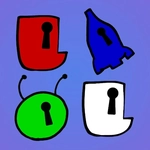
📝SameLock Overview
Click the dial, line up the symbols, and crack lock after lock before the timer hits zero. How many can you pop before your fingers cramp?
💬What is SameLock?
I'll admit, I underestimated SameLock at first. You're staring at a padlock with rotating dials, smashing the mouse button to spin them, waiting for the symbols to line up. The first few locks pop open in seconds and you think, 'Is this it?' Then the dials get more stubborn. The symbols blur. Your clicking rhythm starts to skip, and that one lock you've been hammering for thirty seconds suddenly clicks open with a satisfying snap that makes your hand tingle. That's when I got hooked.
The game doesn't pretend to be deep. It's a pure test of speed, precision, and patience. You don't need to memorize combos or manage resources—just click, adjust, open, repeat. But there's a sneaky difficulty curve. Early locks have one dial; later ones have three or four, and the alignment window shrinks. I found myself leaning closer to the screen, timing my clicks instead of spamming. Maybe that's the real lesson: SameLock punishes button-mashing but rewards that tiny pause before each click.
Visually it's clean and minimal, with crisp lock graphics and a subtle click animation that feels tactile even on a trackpad. On touchscreen it's even better—you can tap two dials at once if you're coordinated. There's no story, no upgrades, no loot boxes. Just you, a row of padlocks, and that rising counter. Some people will call it mindless. I call it oddly meditative, until the timer runs out and you have to start over.
👥How to Play SameLock
Use Mouse or Touchscreen to play
✨Game Tips
- Tap near the center of each dial—it registers more consistently than edge clicks.
- Don't hold the button; single sharp clicks rotate one notch at a time.
- Watch the symbol's stopping position before clicking again to avoid overshooting.
- On touchscreen, use two thumbs for multi-dial locks once you're comfortable.
- If a lock takes more than ten seconds, let go, breathe, and re-focus your rhythm.
- The timer only starts after your first click, so plan your first move.
🔧FAQ
Q: Is SameLock free to play?
A: Yes, SameLock is completely free in your browser with no hidden fees.
Q: Can I play SameLock on mobile?
A: Absolutely. SameLock works on touchscreen phones and tablets through any modern browser.
Q: Do I need to download anything to play SameLock?
A: No downloads needed. It runs directly in your browser as HTML5.
Q: What's the main goal in SameLock?
A: Click the dials to line up matching symbols and pop open as many locks as possible before time runs out.
Q: Does SameLock save my high score?
A: Your best run is tracked locally in the browser, so you can try to beat it next time.
Q: Is SameLock suitable for kids?
A: It's a simple clicking puzzle with no violence or inappropriate content, great for all ages.