
Samurai Rabbit The Usagi Chronicles Jigsaw Puzzle
Play Count0
Published2022-05-30
Supported DevicesPC + Mobile
CategoryFun & Crazy
Rating★★★★★5.0Rate this game
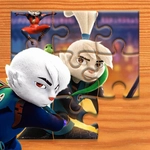
📝Samurai Rabbit The Usagi Chronicles Jigsaw Puzzle Overview
Drag mismatched shards into place until Usagi's chaotic battle scene snaps into focus — pure jigsaw bliss.
💬What is Samurai Rabbit The Usagi Chronicles Jigsaw Puzzle?
Most jigsaw games dump a pile of random shards and call it a day. This one actually respects your time. You drag pieces directly onto the board — no fiddly rotation unless the image demands it, no hidden zoom traps. The Samurai Rabbit artwork is bright and busy enough that every piece carries a little sliver of story: a flash of Usagi's sword, the edge of a rooftop, a yokai's toothy grin. I kept catching myself studying each shape like a detective, comparing the tiniest nicks in the cardboard. Edge pieces first, obviously. Then the obnoxious mid-tones, the ones that look identical until you realize one has a single pixel of red. That's the good stuff.
The controls are simple click-and-drag, which makes it perfect for a lunch break or a lazy afternoon. No time limits, no penalty for mistakes — just you, the image, and a growing sense of order. I found the default piece count forgiving, but there are likely harder modes with more shards if you want to sweat. The anime style is vibrant; the rabbit samurai's armor and the chaotic battle backdrops translate beautifully to jigsaw form. Even if you've never watched the show, the characters look cool enough to keep you hooked.
It's the kind of game you open to kill five minutes and then realize forty flew by. The final snap when the last piece slides home is weirdly satisfying — almost like finishing a real puzzle without the fear of losing a piece to the vacuum. Worth a try if you need a chill brain break that still flexes your pattern recognition.
👥How to Play Samurai Rabbit The Usagi Chronicles Jigsaw Puzzle
Drag and drop!
✨Game Tips
Start with the border pieces — those straight edges give you a frame to work inward from.
Sort by dominant color before you start dragging; it cuts the search time in half.
If a piece feels wrong, zoom out and check the full preview image to narrow its zone.
Use the spaces left behind as clues: an empty slot's silhouette often matches a piece you've already sorted.
Don't waste time rotating — most pieces snap in as you drop them, so focus on position not orientation.
When stuck on a uniform area, try pieces with unusual tabs or blank slots first.
🔧FAQ
Q: Is Samurai Rabbit The Usagi Chronicles Jigsaw Puzzle free to play?
A: Yes, it's completely free in your browser — no download or payment needed.
Q: Can I play on my phone or tablet?
A: Absolutely. The drag-and-drop controls work on touchscreens just as well as with a mouse.
Q: Do I need to install anything to start playing?
A: No install required. Just open the page and the puzzle loads immediately.
Q: Are there multiple difficulty levels or puzzle sizes?
A: The game may offer different piece counts; check the menu for easier or harder layouts.
Q: Does this game need an internet connection?
A: Yes, you need to be online since it runs in a web browser.
Q: Is this game suitable for kids?
A: Definitely — it's non-violent jigsaw fun with colorful anime-style art.