
Sand Drawing
Play Count0
Published2019-11-01
Supported DevicesPC
CategoryArcade & Classic
Rating★★★★★5.0Rate this game
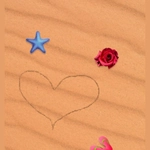
📝Sand Drawing Overview
Drag your mouse and watch colored sand pour, pile, and swirl into patterns you control.
💬What is Sand Drawing?
I'll be honest—I opened Sand Drawing expecting a simple time-waster, but fifteen minutes later I was still there, building a striped mountain range out of nothing but cursor movements. The core loop is stupidly simple: your mouse acts like a spout, releasing a steady stream of sand wherever you guide it. Move slowly and the grains stack up into thick ridges. Flick your wrist and they scatter into delicate arcs. It's weirdly satisfying in the same way that pouring actual sand through your fingers is, except you don't have to vacuum afterwards.
What got me hooked was the layering. Change the sand color a few times while moving in circles, and you end up with these concentric rings that look almost geological. Then I discovered you could carve into your own piles by switching to an eraser—it's like excavating a tiny archaeological site. The physics feel soft but consistent: sand slopes at a natural angle, edges crumble if you dig too fast, and if you hold the mouse still, a single point slowly grows into a perfect little dune. It's not a game with levels or scores; it's a digital zen garden, and that's exactly why I kept coming back.
There's no pressure here, no fail state, just the gentle scratch of virtual grains and the pleasure of making something temporary. You won't find complex mechanics or hidden unlocks. What you will find is a beautifully executed sandbox that respects your attention span and rewards curiosity. Whether you have five minutes or fifty, Sand Drawing gives you a quiet space to doodle in three dimensions—and yes, I absolutely made a sand castle, then knocked it down with a fast swipe just to watch the grains fly.
👥How to Play Sand Drawing
Use mouse to play
✨Game Tips
Hold the mouse in one spot to grow a mountain; swipe across to flatten it instantly.
Layer different sand colors while moving slowly to create striped patterns.
Use the eraser (if available) to dig moats and carve into existing piles.
Experiment with gravity by drawing near the edges of the screen—sand will spill over.
Click fast in short bursts instead of holding for a speckled, airy texture.
Press reset or clear to wipe the canvas without refreshing the whole page.
🔧FAQ
Q: Is Sand Drawing free to play?
A: Yes, Sand Drawing is completely free, no hidden costs or subscriptions.
Q: Can I play Sand Drawing on my phone?
A: Most mobiles support HTML5, so it runs in a browser, but mouse controls are much better on desktop.
Q: Do I need to download anything to play Sand Drawing?
A: No download needed—it runs directly in your browser as long as you have an internet connection.
Q: Is Sand Drawing good for young kids?
A: Absolutely. It's nonviolent, intuitive, and encourages creativity with no text or complex rules.
Q: How do I control the sand in Sand Drawing?
A: Move your mouse to pour sand. Some versions let you click and hold to change flow or use keys for color.
Q: Does Sand Drawing have any goals or levels?
A: No, it's a freeform sandbox experience—make patterns, build structures, or just relax and experiment.