
Sandbox Squid Game Create a Challenge
Play Count0
Published2025-07-10
Supported DevicesPC + Mobile
CategoryArcade & Classic
Rating★★★★★5.0Rate this game
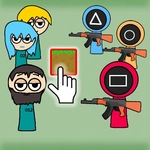
📝Sandbox Squid Game Create a Challenge Overview
Ever wanted to design your own Squid Game trial? Now you can, one blocky deathtrap at a time — just don't forget the green button.
💬What is Sandbox Squid Game Create a Challenge?
I'll be real: I spent twenty minutes just stacking blocks into a tower, then shot it to pieces with the machine gun. The physics are simple but satisfying — blocks snap to a loose grid, and you can hop on top of whatever you build. The Squid Game theme is mainly cosmetic: pink guard outfit, the iconic circle/triangle/square shapes, but the core is pure creative sandbox. You get a few block types to cycle through with Q, and S drops them in front of you. The trick is that you can also run and jump while building, so you can construct staircases on the fly. That's where it clicked for me.
Don't skip the green button in the top left. I did at first, wondering why nothing saved or reset. Once you click it, the game actually runs your creation as a playable level — you can test your jumps, see if a gap is too wide, or if that machine gun placement is unfair. F fires the gun, which is more for fun than precision; it's great for clearing blocks or just blowing off steam. The controls are keyboard only, so it's best on a computer. There's no real objective, no rounds, no timer. It's a canvas.
For a free unblocked browser game, it scratches that creative itch without any fluff. The block types are limited but enough to make ramps, walls, platforms, even little arenas. I built a simple parkour course, clicked green, and then spent another ten minutes failing my own jumps. It's dumb fun, and sometimes that's exactly what you need between classes.
👥How to Play Sandbox Squid Game Create a Challenge
←, → or AD - Right\\\\\\\\\\\\\\\\Left.
↑ or W - Jump.
Q - Change block.
S - Place block.
F - Shoot with machine gun.
After you build the test, dont forget to click on the green button in the upper left corner!
✨Game Tips
Cycle block types with Q to find the one that suits your structure; the bigger blocks are better for foundations.
Build a staircase by jumping and placing blocks beneath you at the same time.
Click the green button before testing anything — it activates the level and saves your layout.
Use F to clear out misplaced blocks quickly instead of rebuilding around them.
Keep gaps between platforms about two character-widths or you'll never make the jump.
You can build while running, so lay down ramps on the move for momentum-based sections.
🔧FAQ
Q: Is Sandbox Squid Game Create a Challenge free?
A: Yes, it's completely free to play in your browser.
Q: Can I play on mobile?
A: Not really — the controls use a keyboard, so a computer is recommended.
Q: Do I need to download anything?
A: No download needed; it runs directly in your web browser as HTML5.
Q: What are the controls?
A: Arrow keys or A/D to move, W or Up to jump, Q to change block, S to place, F to shoot.
Q: Is it a full Squid Game game?
A: No, it's a sandbox level builder with Squid Game visuals, not the original series gameplay.
Q: Can I save my creations?
A: Only temporarily in your current session; refreshing the page will reset everything.