
Save Us Fidget
📝Save Us Fidget Overview
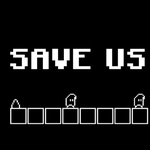
Your screen floods with tumbling fidget toys and the only thing standing between them and a very un-funny splat is your trigger finger.
💬What is Save Us Fidget?
The premise is gloriously dumb in the best hypercasual way. Little cartoon fidgets—spinners, cubes, those popping keychains—get launched, dropped, or thrown from every direction, and they need a soft landing. You tap, click, or slam the spacebar to bounce them, catch them, or open little pads beneath them. Miss one and they burst into sad plastic shards. There's no reload, no tutorial that overstays its welcome, just instant chaos.
What kept me coming back is how the game quietly shifts the rules. At first it's just three falling spinners and you're thinking 'this is fine.' Then a giant fidget cube drops while three small ones bounce at different angles, and suddenly you're juggling priority targets. I had a run where I saved seven in a row, got cocky, and immediately lost four because I tried to show off with keyboard taps instead of mouse. The timing window is generous enough to feel fair, but the ramp-up punishes lazy clicking hard.
Performance-wise it's smooth as butter in any browser, and the touch controls feel identical to mouse, which makes it perfect for killing five minutes on a phone. There's no lives system, no energy meter, no 'watch an ad to continue' garbage—just high score, immediate restart, and this little 'just one more try' itch. It won't change your life, but it'll absolutely wreck your productivity.
👥How to Play Save Us Fidget
TOUCH , MOUSE & KEYBOARD
✨Game Tips
Train yourself to tap just above the fidget, not directly on it—the hitbox is generous but edge-taps count as misses.
Use keyboard spacebar for single falling fidgets; save mouse clicking for groups where you need to move fast.
Watch the shadows, not the toys. Every fidget casts a faint shadow before landing, and that's your real aim point.
Don't chase the big fidget cube if two small spinners are falling at the same time—small ones fall faster and give more points.
In later waves, some fidgets bounce once before falling. Tap immediately after the first bounce, not during the fall.
If you're on mobile, hold your thumb just above the bottom third of the screen—it reduces blind spots.
🔧FAQ
Q: Is Save Us Fidget free?
A: Yes, it's completely free to play in your browser with no hidden paywalls or forced downloads.
Q: Can I play Save Us Fidget on mobile?
A: Yes, touch controls work well on any smartphone or tablet. Just tap the screen to catch the fidgets.
Q: Do I need to download anything to play Save Us Fidget?
A: No download required. It runs directly in your browser as an HTML5 game, so just open the page and play.
Q: What are the controls for Save Us Fidget?
A: Use mouse clicks, touch taps, or press the spacebar with your keyboard. All three input methods do the same thing.
Q: Does Save Us Fidget have any ads?
A: The unblocked version is typically ad-free, but some sites may show a brief ad between runs.
Q: Is Save Us Fidget good for quick breaks?
A: Absolutely. Each run lasts a couple minutes at most, and the fast restart makes it perfect for short breaks.