
Serve Restaurant Customers
Play Count0
Published2022-07-20
Supported DevicesPC + Mobile
CategoryManagement & Simulation
Rating★★★★★5.0Rate this game
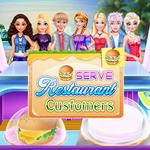
📝Serve Restaurant Customers Overview
Orders pile up, customers glare, and the clock's ticking—prove you can serve a full restaurant without making anyone storm out.
💬What is Serve Restaurant Customers?
You click a table, grab the order, click the kitchen to fire the dish, then rush it back before the patience bar drains. That's the whole loop, but once the dinner rush starts, it's pure controlled chaos. I kept messing up on the third level where a four-top near the door orders drinks, mains, and dessert all at once while two other tables are blinking red. The key is staying calm and working in a route—don't zigzag across the floor. You'll learn which stations are closer after a few rounds, and that muscle memory saves your tips.
What makes this one stick is how the customers react. They don't just sit there—they frown, cross arms, and eventually storm out if you're too slow. Losing a customer hurts your score, but it also feels personal. I actually said "sorry" out loud when an old lady left without her soup. The game doesn't have flashy graphics, but the simple cartoon style keeps everything readable. You can see every order ticket and patience bar at a glance, which matters when three tables go critical at the same moment. There's no tutorial beyond a quick hint, so you'll figure out the timing by failing a couple of times. That's not a flaw—it's how you get better.
For a browser game, the balance is tighter than I expected. The first two levels ease you in, then suddenly you're juggling six tables with different dish timers and drink refills. It's not about clicking fast; it's about clicking smart. Prioritize the angriest customer, never leave the kitchen idle, and accept that you'll lose a table or two on the first attempt. The satisfaction of clearing a full rush with everyone happy is worth the sweat. If you like diner dash–style games but want something quick and unblocked, this one's a solid pick for a 15-minute session.
👥How to Play Serve Restaurant Customers
use mouse to control
✨Game Tips
Watch the patience bar under each customer—once it turns red, they're already halfway out the door.
Click the kitchen pickup window before taking new orders; queued tickets don't cook while you're chatting.
Serve drinks first whenever possible, even if the main course isn't ready—it buys you valuable seconds.
Memorize the station layout early so you stop hunting for the soup pot or dessert tray mid-rush.
On later levels, ignore the tables with full patience and focus on the ones about to leave; two happy customers beat one perfect order.
🔧FAQ
Q: Is Serve Restaurant Customers free to play?
A: Yes, it's completely free in your browser with no hidden fees or premium upgrades.
Q: Can I play Serve Restaurant Customers on mobile?
A: The game uses mouse controls, so it's best on desktop or laptop, but some touch screens work with tapping.
Q: Do I need to download anything to play?
A: No download or install needed—just open the page and the HTML5 game loads instantly.
Q: Does Serve Restaurant Customers work on a school Chromebook?
A: Yes, it runs in any modern browser, including Chromebooks, as long as the site isn't blocked.
Q: Is there a time limit per level?
A: No global timer, but each customer's patience acts as a personal countdown, so speed still matters.
Q: Can I pause the game mid-level?
A: Most versions don't have a pause button, so finish a rush or risk losing customers if you step away.