
Shadoworld Adventure
Play Count0
Published2021-05-11
Supported DevicesPC + Mobile
CategoryAction & Fighting
Rating★★★★★5.0Rate this game
📝Shadoworld Adventure Overview
Dash, leap, and slash through a world where shadows aren't just decoration—they're your deadliest enemies.
💬What is Shadoworld Adventure?
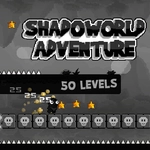
Shadoworld Adventure drops you into a moody, monochrome landscape where every platform is edged in darkness and the background pulses with faint, otherworldly light. The controls are simple enough—A to move left, D to move right, W to jump, with the mouse handling menus and maybe a few interactive moments—but the level design wastes no time reminding you that a single misstep sends you tumbling into the void. I died more times than I'd like to admit on the third stage, where moving shadow platforms phase in and out in a rhythm you've got to memorize or eat dirt.
Combat, if you can call it that, is less about button mashing and more about timing your jumps so you land on enemies' heads instead of their claws. There are also light beams you can trigger to dissolve shadow walls, which adds a light puzzle twist. I kept coming back to the section with the giant pendulum blades—the hitbox feels fair, but the screen shake when you barely graze one is enough to make you flinch.
On mobile, the touch buttons are responsive but my thumb kept slipping off the jump button during tense sequences—probably my own clumsiness, but worth mentioning. If you're playing on desktop, use the mouse to look around at the start of each level; there are hidden alcoves above the camera's default view that hold extra lives. It's not a long game, but it's the kind of thing you'll restart just to beat your previous time.
👥How to Play Shadoworld Adventure
DESKTOP: A = Move Left / D = Move Right / W = Jump and Mouse for Navigation
MOBILE DEVICES: Touch Buttons on Screen
✨Game Tips
Memorize shadow platform patterns before committing to a jump—they phase in a fixed loop.
Land on enemies' heads from above; frontal contact usually costs you a life.
Check above and below the starting area of each level, hidden platforms often hold extra lives.
Use W for short hops, not just full jumps—tap it lightly for precision over moving gaps.
On mobile, hold the jump button a beat longer than you think; the extra height helps clear spikes.
Don't ignore the faint light beams; activating them removes shadow barriers and sometimes reveals secret paths.
🔧FAQ
Q: Is Shadoworld Adventure free to play?
A: Yes, it's completely free in your browser.
Q: Can I play Shadoworld Adventure on mobile?
A: Yes, touch controls appear automatically on phones and tablets.
Q: Do I need to download anything to play Shadoworld Adventure?
A: No, it runs directly in your web browser as HTML5.
Q: What are the controls for Shadoworld Adventure?
A: Use A/D to move, W to jump, and mouse for navigation on desktop.
Q: Is Shadoworld Adventure suitable for kids?
A: It has mild fantasy action and no graphic violence, so it's fine for most ages.
Q: Can I save my progress in Shadoworld Adventure?
A: The game uses checkpoints within levels but doesn't keep permanent save data between sessions.