
Shift The Shape
Play Count0
Published2022-06-10
Supported DevicesPC + Mobile
CategorySkill & Precision
Rating★★★★★5.0Rate this game
📝Shift The Shape Overview
Drag up at the exact split second or watch your cube smash into a wall—Shift The Shape turns simple swipes into pure reflex torture.
💬What is Shift The Shape?
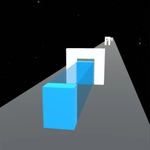
I lost count of the number of times I thought I'd squared up the perfect shape, only to clip the top edge of an oncoming barrier and send my little cube tumbling into digital dust. Shift The Shape is a pure reflex challenge—drag your mouse up or down (or swipe on a touchscreen) to stretch or squash the cube so it slips through gaps that a regular block would never survive. It sounds so simple. It is not.
What gets you is the rhythm. Obstacles roll at you in a steady stream, each with a different opening height. You're constantly tweaking the cube's proportions, and just when you feel comfortable, the game speeds up and the gaps get absurdly narrow. The "aha" moment for me was realizing I could hold a shape mid-drag rather than making jerky adjustments—smooth, continuous motion keeps you alive far longer than panicked clicks. Points pile up as you clear each barrier, and gradually your cube gets slight upgrades that make the tight squeezes slightly more forgiving (though the game never lets you relax). The difficulty curve is brutal but fair; you'll die a lot, and every death is your own fault.
Honestly, this is the kind of game you open for "one quick run" and then realize forty minutes vanished. It's minimal, it's unforgiving, and it's exactly the sort of hypercasual test of precision that works beautifully in a browser tab when you need a five-second escape or a two-hour obsession. If you have any pride in your reflexes, prepare to have it dented—and then come back for more.
👥How to Play Shift The Shape
It is necessary to change the shape of the cube, to pass obstacles. You can do this
by pulling the mouse or tapping the screen up and down. Earn points and improve
the cube.
✨Game Tips
Pre-empt the gap by starting your drag a split second before you reach the obstacle.
Don't overcorrect—tiny mouse movements change the cube shape more than you'd think.
Focus on the opening, not your cube; your hand will learn the timing on its own.
When the speed ramps up, stop aiming for perfect passes and just survive.
Chain clean passes to build your multiplier; one scrape resets it fast.
On mobile, tap-and-hold gives smoother shape control than rapid taps.
🔧FAQ
Q: Is Shift The Shape free to play?
A: Yes, it's completely free in your browser with no hidden paywalls.
Q: Can I play Shift The Shape on my phone?
A: Absolutely. The touchscreen tap-and-drag controls work great on mobile.
Q: Do I need to download anything to play?
A: No download needed. It runs instantly in any modern web browser.
Q: How do I change the cube's shape?
A: Pull your mouse up or down, or swipe on the touchscreen, to stretch or squash it.
Q: Why do I keep dying right after the speed increases?
A: The gaps get narrower, so you need smoother, earlier drags instead of late corrections.
Q: Does the cube actually improve over time?
A: Yes, earning points unlocks slight upgrades that make tight passes a bit more forgiving.