
Simple Puzzle For Kids
Play Count0
Published2020-06-02
Supported DevicesPC + Mobile
CategoryPuzzle & Thinking
Rating★★★★★5.0Rate this game
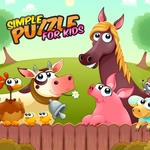
📝Simple Puzzle For Kids Overview
Drag the chunky pieces around and watch a sunny animal scene come together piece by piece — no reading, no timers, just pure toddler-friendly puzzling.
💬What is Simple Puzzle For Kids?
It's the kind of puzzle you don't need to overthink. A brightly colored picture gets split into half a dozen chunky pieces, scattered around the board, and your job is to drag each one onto the matching faded silhouette. There are no rotations, no snap-to-grid headaches, no hidden trick pieces — just grab, slide, and watch the full image click together. The shapes stay forgiving, so toddlers who are still figuring out mouse control won't get stuck on pixel-perfect placement. That slack is the whole point. It feels less like a test and more like a sandbox for early spatial reasoning. Each level swaps in a new friendly scene: a sun, a fish, a flower, a cat. Nothing scary, nothing loud, no timer breathing down your neck.
I kept a tab open while babysitting because the silence meant she was concentrating. Halfway through the duck picture, she realized the blue pieces all belonged near the water and started sorting by color before dragging — that tiny strategy flip is exactly what a good kids' puzzle should reward. The game never tells you that; it just lets you figure it out. You can leave a piece halfway and it won't snap back, which sounds like a small thing but matters when little fingers are still shaky. Playing on a touchscreen is even better; the drag distance is short and the pieces are oversized. There's no fail state, no score, no 'try again.' You finish a picture, a gentle sparkle confirms it, and you pick another. That's it. For parents or older siblings looking for a zero-drama option, it's a solid five-minute wind-down or a quiet table-time activity. Just don't expect deep challenge — this is deliberately, proudly simple.
👥How to Play Simple Puzzle For Kids
click the puzzle drag to image
✨Game Tips
Drag by the center of a piece, not the edge — little hands get cleaner movement that way.
Encourage color sorting before placing; most scenes group naturally by background vs. character.
Let the piece hover over the silhouette until it locks, then release; the snap zone is generous.
Use a touchscreen if you can — the bigger targets feel more natural for small fingers.
Don't rush. There's no timer, so let kids experiment with wrong spots.
Once a piece locks in, it stays put, so no need to be exact with position.
🔧FAQ
Q: Is Simple Puzzle For Kids free?
A: Yes, it's completely free to play in any modern browser with no hidden costs.
Q: Can I play Simple Puzzle For Kids on a phone or tablet?
A: Yes, the drag controls work great on touchscreens and the pieces are large enough for small fingers.
Q: Do I need to download or install anything?
A: No downloads needed. The game runs right in your browser as HTML5.
Q: Is there any reading or complex instructions?
A: No reading required. Kids simply drag each puzzle piece onto the matching shape.
Q: What age group is this game best for?
A: It's ideal for toddlers and preschoolers roughly ages 2 to 6, but anyone can enjoy it.
Q: Will my child see ads or scary content?
A: The puzzles feature friendly, colorful images and there are no violent or scary elements.