
Sky Pong
Play Count0
Published2022-09-09
Supported DevicesPC
CategoryAction & Fighting
Rating★★★★★5.0Rate this game
📝Sky Pong Overview
Smack the ball, read the angle, and don't flinch—lose focus for a second and your friend scores.
💬What is Sky Pong?
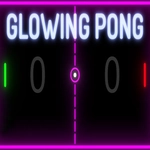
Sky Pong keeps the classic two-player volley intact but dresses it up with a breezy sky backdrop and physics that feel surprisingly tight. You move your paddle with the mouse on one side, and your opponent uses the keyboard—so it's easy to set up on a shared screen. The ball starts slow but picks up speed with each hit, and the angle changes depending on where it strikes your paddle. Shots off the edge of the paddle send the ball spinning unpredictably, which means you can't just camp in the center. I found myself leaning in whenever the ball started bouncing near the top wall, waiting for a bounce I could exploit.
The real magic is in the mind games. Because both players see the same screen, you get moments where you fake a move, then snap your paddle the other way just as the ball arrives. Your friend might think they have an easy return, but the spin you put on it forces them to readjust mid-volley. One match I played, we were tied at 8-8 when I returned a fast serve with a soft tap on the very edge of my paddle—the ball floated high, then dropped sharply just behind their paddle. They never saw it coming. That's the kind of moment that makes you want a rematch immediately.
The controls are simple enough to pick up in seconds, but mastering the edge hits and reading the spin takes practice. I'd recommend playing a few practice rounds against the computer first if you're rusty, then challenge a friend. Since it runs in any browser, it's perfect for quick breaks or settling arguments at school. Just be warned: it gets loud.
👥How to Play Sky Pong
Use Mouse To Play and Keyboard
✨Game Tips
Aim for the paddle's edge when returning fast shots—off-centre hits produce sharp angles that are hard to predict.
Don't stay glued to the middle; moving just a few pixels can completely change the return trajectory.
Watch your opponent's paddle position, not the ball, when they're about to hit—that tells you where it's going.
Keep your mouse movements small and quick; big swipes overshoot and leave the goal open.
After a few rallies, bait your rival by hovering near one side, then dart to the other as the ball arrives.
🔧FAQ
Q: Is Sky Pong free to play?
A: Yes, it's completely free in your browser with no hidden charges or account requirements.
Q: Can I play Sky Pong on my phone?
A: The game works best with a mouse and keyboard, so desktop is recommended; mobile controls are limited.
Q: Do I need to download or install anything?
A: No downloads needed—just open the page and the game loads instantly.
Q: Can I play against the computer?
A: Some versions include a single-player mode against AI, but the main focus is local 2-player.
Q: Does Sky Pong support gamepads?
A: It's designed for mouse and keyboard, so gamepad support is not available.
Q: How do I restart a match or change settings?
A: Usually refreshing the page resets the game, or you can use the on-screen menu if available.