
Sliding Puzzle
Play Count0
Published2026-02-10
Supported DevicesPC + Mobile
CategoryFun & Crazy
Rating★★★★★5.0Rate this game
📝Sliding Puzzle Overview
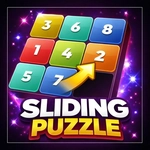
Slide tiles, swap spaces, and watch a shattered image slowly come together — one wrong move can scramble it all over again.
💬What is Sliding Puzzle?
The classic sliding puzzle has been messing with heads since before touchscreens, and this version brings it right to your browser with zero fuss. You get a grid — usually 3x3 or 4x4 depending on difficulty — and one empty square. Click any tile adjacent to that empty space, and it slides over. Your job is to rearrange the tiles into a coherent picture or sequence of numbers. Sounds easy? It is, until you realize one wrong shove can scramble the last five minutes of careful progress.
What I love about Sliding Puzzle is how it quietly trains your spatial reasoning. There's a subtle rhythm to it: you spot a tile that's almost in place, then mentally trace the path it needs to take around the empty space. That "aha" moment hits when you finally understand that you don't move tiles directly to their spots — you move the empty space around the tiles. Once that clicks, the whole game changes. I caught myself staring at a stubborn corner tile, convinced it was impossible, then suddenly seeing a three-move loop that freed it. That's the drug of sliding puzzles.
No timers, no lives, no penalties — just you and the grid. You can take a break mid-puzzle and come back, though the board state won't remind you what you did. I recommend solving the top row first, locking it in, then tackling the left column. If you get truly stuck, there's no shame in refreshing. But fair warning: the simpler the grid, the more embarrassing it is when you can't finish it. Sliding Puzzle is a perfect coffee-break brain flex, and it runs on basically anything with a browser.
👥How to Play Sliding Puzzle
Desktop: Click on any tile adjacent to the empty space to slide it. Mobile: Tap or swipe a tile to move it into the empty space. Menu: Use the on-screen buttons to pause, toggle sound, or access settings.
✨Game Tips
Work from the top row down — lock in the first row before moving on.
Don't chase the empty space; plan tile routes instead.
If you’re stuck, try rotating three tiles around the empty square.
Use the picture's edges or corner patterns as anchors.
Take a screenshot of the solved image if the game hides it.
Count moves only if you want a challenge; otherwise just relax.
🔧FAQ
Q: Is Sliding Puzzle free?
A: Yes, it's completely free to play online with no hidden fees.
Q: Can I play Sliding Puzzle on mobile?
A: Yes, you can tap or swipe tiles on any touchscreen device.
Q: Do I need to download anything?
A: No downloads needed — it runs directly in your browser.
Q: How do I control the tiles?
A: Click or tap any tile adjacent to the empty space to slide it.
Q: What if I get stuck?
A: Refresh the page to reset the puzzle, or try working from the top row down.
Q: Does it have different difficulty levels?
A: Yes, you can usually choose grid sizes like 3x3 or 4x4.