
Slimoban
Play Count0
Published2020-09-10
Supported DevicesPC + Mobile
CategoryArcade & Classic
Rating★★★★★5.0Rate this game
📝Slimoban Overview
Roll, slide, and squish your way through 40+ brain-bending sokoban levels where every move counts and every wrong step buries you deeper.
💬What is Slimoban?
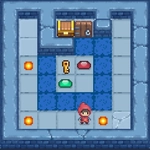
Slimoban doesn't waste time explaining itself. You drop in, see a green blob, a few crates, and some glowing tiles, and immediately know the drill: push the boxes onto the goals. But that's where the familiar sokoban formula ends. The crates here aren't wooden—they're made of the same slime as you, so they leave slippery trails, slide extra spaces when shoved, and can even be shot apart with a well-aimed click. That shooting mechanic flips everything. I spent ten minutes on level 7 because I kept forgetting I could shoot a blob to create a temporary wall, then realized I could idle to let a crate slide into place without moving myself. It's the kind of "oh duh" moment that makes you feel smart and stupid at once.
The levels are tight, usually no more than a dozen tiles wide, but they pack more brain-burn than games three times their size. Early stages hold your hand—push A to B, done. By mid-game you're juggling multiple crates, shooting slime bridges over pits, and using the idle button to time moving hazards. I've rage-quit twice already, and I'm only on stage 23 of 40. The pixel art is clean and readable, with just enough gooey animation to sell the slime theme without distracting from the puzzle logic. No timers, no pressure, but also no hints—just you and your mistakes.
If you play on phone, the on-screen buttons work fine, but I prefer a keyboard. Mouse shoot is snappy. Don't skip the idle button; it's not just a pause, it advances the world one tick, which can save a hopeless-looking position. Bring patience and a willingness to unlearn regular sokoban habits, because Slimoban will punish you for assuming crates behave.
👥How to Play Slimoban
Movings - arrows, WASD, screen buttons
Idle - space, idle button.
Shoot - click/tap.
✨Game Tips
Shoot slime into open gaps to make temporary blocks—they'll hold long enough for you to reposition a crate.
Use the idle button (space) to let moving crates finish sliding before you move; timing is everything.
Don't push a crate into a corner unless you're sure—there's no undo button.
Plan your shots before moving; wasted slime shots can leave you stuck.
On mobile, tap the ground to shoot that tile; it's faster than dragging the cursor.
If a level feels impossible, check if you missed a shootable wall or idle trigger.
🔧FAQ
Q: Is Slimoban free to play?
A: Yes, it's completely free with no paywalls.
Q: Can I play Slimoban on my phone?
A: Yes, touch controls and on-screen buttons are supported.
Q: Do I need to download anything to play?
A: No, it runs right in your browser as HTML5.
Q: How many levels does Slimoban have?
A: Over 40 handcrafted puzzle levels.
Q: Is there an undo button in Slimoban?
A: No undo—every move counts, plan ahead.
Q: What are the controls for Slimoban?
A: Arrows or WASD move, space idles, click/tap shoots.